Create custom photo books and prints from Instagram or camera roll photos. Select and arrange images for print. Order physical photo goods directly within the . Share completed projects via social media or email.
View and organize photos and videos in a unified interface. Browse, zoom, and share media directly. Apply filters and edit images. Securely store content with password protection. Sync across devices and manage albums.
Hide photos and videos using a secure . Backup and sync files with iCloud. Protect data with strong encryption. Access files from multiple devices. Remove photos permanently from the .
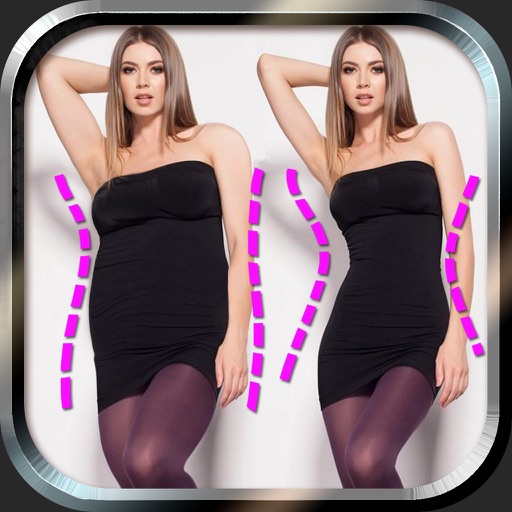
Edit photos to and body using auto-detection. Adjust and body thickness with sliders. manual edits and undo changes. Compare original and edited images. Save results to albums and share via email or social media.
And videos via WiFi or USB to computer. Convert HEIC to JPG, HEVC to MOV/MP4, and Live to videos. Supports direct file sharing and drag-and-drop functionality.
Store photos and videos in Apple’s built-in Folders without any data storage or access by the . View and organize media directly from your phone’s file system. Access content securely without third-party servers or data sharing.
View and edit metadata and geotagging in photos. Remove metadata to protect privacy. Manage photo information across iPhone, iPad, and iPod Touch. Sync data seamlessly between devices. Export edited files directly.
Organize photos and videos by date with a calendar view. Create albums for special events and memories. Automatically sort media by capture date. Store unlimited photos and videos without cost. Share albums directly from the .
Edit images with drawing tools like rectangles, ovals, arrows, lines, and text. Add notes and highlights. Adjust colors and brightness. Save and share annotated images directly.
Allows users to create private protected by gesture passwords. Users can take photos and record videos without unlocking the album. The includes a video player supporting multiple formats.
Edit photos with brushes and black-and-white effects
Edit photos by converting them to black and white and selectively retaining with a finger brush tool. Zoom in and out using two-finger pinching for precise adjustments. Share edited images via email or upload to Twitter, Flickr, or Dropbox.
Tag with GPS data including location, address, date, time, coordinates, altitude, weather, and temperature. View map overlays and share geotagged images with precise location details.