Apps Like Finger Drumkit - PRO for iPhone and iPad
Play drums with touch
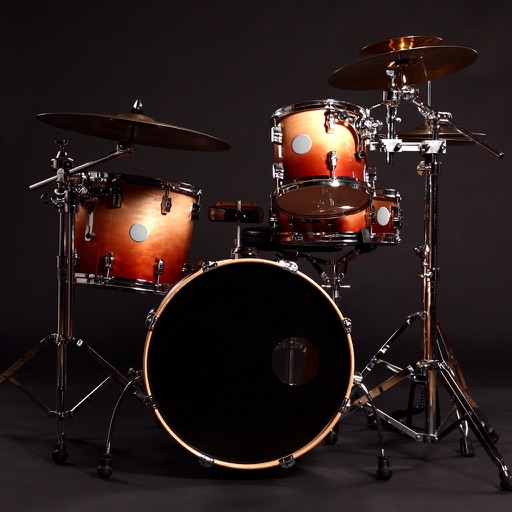
Play drums using taps for realistic sound and responsive touch. Choose from 4 drum kits including classic, electronic, rock, and vintage. Create original beats or follow along with favorite songs. Sync with audio for rhythm practice.
by Quantis, Inc.★ 3.513 ratingsMusicFreeData updated 2026-09-09
Create and edit sheet and guitar tabs using touch piano, guitar fretboard, or drum pads. Play back compositions with over 90 instruments. Share directly or export as PDF. Sync with web version for editing on multiple devices.
Tune drums with real-time feedback and pitch detection. Adjust tension and monitor frequency accuracy. Design custom kits and access online tutorials. Track progress and practice tuning exercises. Share recordings and compare tuning results.
Play music with a 3D kit and AR kit for immersive practice. Use Beat Pad to control keyboard and pads on one screen. Access hundreds of loops across genres and eight studio-quality sets. Download additional sound banks and use MIDI functionality.
Control instruments with multi-touch gestures. Adjust parameters in real-time. Route audio and MIDI signals. Access transport controls and mixer functions. Perform live using touch-based input. Sync with Pro or GarageBand on Mac.
Create and edit music with virtual instruments, effects, and audio tools. Record and arrange tracks, apply plugins like Beat Breaker and Sample Alchemy, and mix audio. Export projects in multiple formats and share directly.
Learn basics through interactive and practice exercises. Track progress with skill assessments and rhythm challenges. Play to improve timing and coordination. Access theory guides and practice patterns for different styles.
The app helps users tune drums with precision, develop tuning skills, and achieve a selected sound for their kit. It offers features like a lug tuner, drum kit interval tuner, and a click track with a metronome.
Play along to songs in music library using the built in music player. Access three kits with additional kits available via in- purchase. Adjust tempo and sync with audio. Record and replay performances.
Create sequences by tapping on sound samples like Snare, Hi-Hat, and Clap. Adjust tempo (bpm) to control speed. Build sound patterns by arranging samples in a grid. Save and export created sequences.
Create beats using high-quality kits including Electro, Urban, Vintage, Classic, Techno, Percussion, and Vocal. Mix eight tracks to adjust volume and balance. Record and export audio files. Sync with Apple Health to track activity.
Drums lets users select from three drummers with distinct styles. Adjust jam level and intensity using a 2D slider. Save mixer and effects settings for each sound bank. Toggle ride/hats and cross stick/snare options.
The app offers a chromatic tuner and a hands-free metronome. It includes features like pitch detection, a metronome with sound, vibration, or flash, and a recorder for practice.
Learn to play drums with interactive lessons and game-like exercises. Practice rhythms, master beats, and play favorite songs. Track progress and receive feedback on timing and technique. Sync with devices to record and share performances.
Tracks from popular music genres like Rock, Pop, Hip-Hop, and Dance. Choose different sets to customize your sound. Access reworked classical pieces as contemporary compositions. Tap to beats and follow along with visual cues.
The app provides a realistic drum set with recording capabilities. Users can create and play back beats using a full acoustic set with realistic sounds and multitouch support.
Create beats using a drum pad interface with customizable sound packs. Record up to 32 sequences to build full songs. Edit and arrange patterns with visual feedback. Export tracks in multiple audio formats.