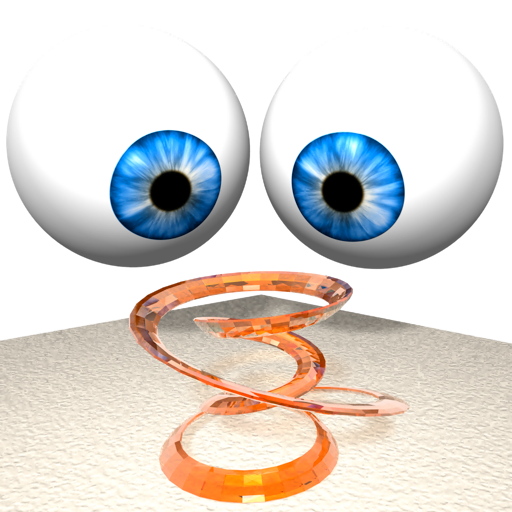
The app creates anaglyphs from single pictures, dual image pairs, and depthmaps. It handles left/right image pairs, side-by-side pictures, and .MPO files, with batch processing capabilities.
Edit photos and videos with AI retouch for detailed skin enhancement and blemish removal. Adjust lighting, color, and composition. Add text, stickers, and filters. Export in various formats and share directly.
3D models using gesture-based controls for object and camera manipulation. Multi-select vertices, edges, faces, and objects with long taps or frame drawing. Merge, connect, and create faces from vertices. Draw cuts on edges.
Create studio-quality product photos using AI-generated scenes and virtual models. Remove or replace backgrounds with one tap. Add custom logos and text to images. Export in high-resolution formats.
Detailed artwork with customizable brushes and specialized toolsets for sketching, painting, and doodling. Access advanced AI features to enhance creative workflows. Export and share finished projects directly.
The app generates Single Image Random Dot Stereogram (SIRDS) and Single Image Stereogram (SIS) images. It supports customizable dimensions, hidden-surface removal, and various image file types for depth maps and patterns.
Edit photos and videos with filters, presets, cropping, and color adjustment tools. Resize and crop content for social platforms like Instagram and Snapchat. Create collages by combining images. Use MAGIC FILL to expand or uncrop images.
Customize home screen with animated artwork, 3D and depth effect wallpapers, and liquid glass themes. Apply depth effect wallpapers optimized for OS 26. Choose from various depth and glass textures. Set dynamic preferences.
The app uses live-calculated brushes and strokes with HDR values for a unique art style. It offers gritty paper/canvas textures that interact with drawing tools for a satisfying look.
Create poster or template collages with up to 20 photos or videos. Add text to images or videos. Edit photos with filters, cropping, and adjustments. Enhance visuals with artistic text overlays. Export collages in multiple formats.
Create artworks from photos or videos using styles like , sketch, oil painting, and watercolor. Choose textures such as canvas or paper. Adjust tones and apply filters. Share creations directly from the .
Create animated photos by adding motion to selected elements. Choose animation styles, adjust timing, and export as video or GIF. Share directly to social media or save for later.
Create visually appealing content with pre-designed templates and filters. Adjust colors and layouts. Add text overlays and stickers. Export and share directly to social media platforms.
Create logos for teams and esports with customizable templates and design tools. Choose from a collection of images and edit text, colors, and layouts. Export logos in various formats and share directly.
Upload photos of your room and select a space type and style. AI analyzes dimensions and characteristics to generate customized design plans. Visualize furniture arrangements and color schemes for different styles.
Draw on a using colored chalks with optional texture. Create unlimited blackboards with adjustable brush sizes and four background styles. Share drawings to Instagram.