Tap falling pieces to rotate or move them left or right. Place them in optimal positions to land. Four pieces of the same color disappear when aligned. Other pieces above fall, potentially creating new matches. Practice chain reactions.
by Kazumasa Tagami★ 4.235 ratingsGamesFreeData updated 2026-09-09
Arrange colored to match passenger requirements. Drag and reposition pieces to solve puzzles. Progress through increasingly complex levels requiring strategic planning and logical thinking.
The app presents over 60 levels of block-destroying puzzles. Players rotate their device to clear colored blocks within time limits, encountering new challenges and special blocks like Bombs and Mini Blocks.
Play a sliding puzzle game based on the Huarong Road story. Move pieces to guide Cao Cao to the bottom exit. Features 18 levels with increasing difficulty. Includes a tutorial for new players. Track progress through multiple puzzles.
Tetrasquare is a puzzle game played on a numbered grid. The objective is to divide the grid into rectangular pieces, each containing one number representing its area.
Arrange cards by tapping or dragging them to desired positions. Stack cards in alternating red and white colors. Place favorite cards in the free area. Avoid stacking in the upper right corner. Organize cards in order from 1 to K.
Match three identical items to clear them from the grid. Tap to select and swap pieces. Earn points for clearing lines and completing levels. Track high scores and compete with friends.
Play with adaptive AI opponents or friends via cross-platform multiplayer. Move pieces freely in AR space with customizable boards. Sync gameplay across visionOS and macOS devices. No ads, no restrictions on piece movement.
Play by placing red and white pieces to flip opponent tiles. After each turn, a hole opens on the board, permanently blocking that space. Strategize to adapt as the board changes with every move.
Tap circles to make them pop and disappear. Circles split on each tap, increasing difficulty. Track progress over time. Improve hand-eye coordination and reflexes through interactive gameplay.
The app provides the FreeCell card game experience. Players move cards to foundation stacks by organizing them into Ace to King suits using four free cell spots as placeholders.
Explore augmented reality features to interact with puzzle pieces available in stores. Share experiences via screen capture. Access customer support and additional information through options.
Chop and smash wood stacks with a . Avoid hitting red pieces. Unlock various knives as you progress. Track progress and improve cutting skills over time.
Adjust volume for left or right ear independently. Select from four listening environments for different settings. Perform pure-tone audiometry tests for both ears across five frequencies.
Explore a 2D platform game with 14 levels set in treasure-filled ruins. Navigate using left/right and jump keys. Kick walls to reach new platforms. Collect keys to open treasure chests. Avoid traps like arrows and saws.
Play a classical with friends or family. Customize the table. Compete in multiplayer mode with private settings. Move tokens based on dice rolls. Win by getting all pieces home first. Track progress and manage sessions.
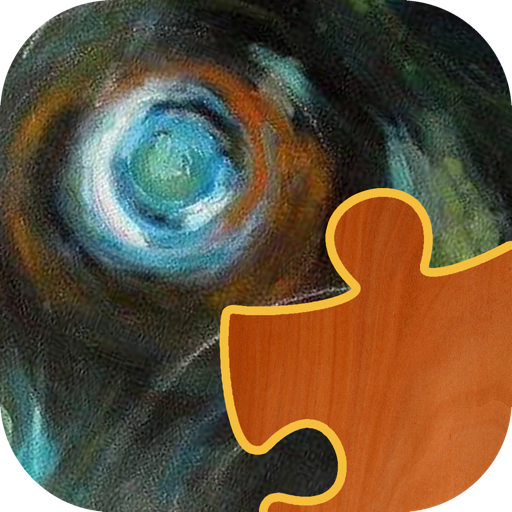
Solve jigsaw puzzles based on abstract oil paintings. Select puzzle sizes from 4 to 80 pieces. Pieces snap into place without needing precise alignment. View large, high-quality images on compatible screens.
The app is a variation of the classic Color Lines game. New balls appear with increasing speed, and players move them to create lines of five or more to score.
Feet for single or multiple pieces. Input dimensions in inches or feet for thickness, width, and length. Determine total footage and cost by entering price per .