Set reminders for daily events and custom categories. Sort and share events. Customize reminder times and date settings. Repeat events with set cycles. Backup events to iCloud. Display completed events on the home screen.
by rongsheng li★ 4.824,342 ratingsUtilitiesFreeData updated 2026-09-09
The app helps users turn activities into habits using the ‘Don't break the chain!’ productivity method. Users can track progress, view stats, and receive custom notifications to stay motivated.
Track dates and manage events with a minimalist calendar interface. Set countdowns for upcoming tasks or milestones. View daily schedules and receive reminders. Customize with adorable feline avatars and adjust themes for personal preference.
Schedules "Insert Ring" and "Remove Ring" events with a selected date. Adds repeating events to the calendar. Allows customization of event titles and settings through the default Calendar .
Track events with a customizable widget on the home screen. View countdowns, daily updates, and animated graphics. Set reminders and receive notifications. Adjust themes and layouts for personalization. Share details directly from the .
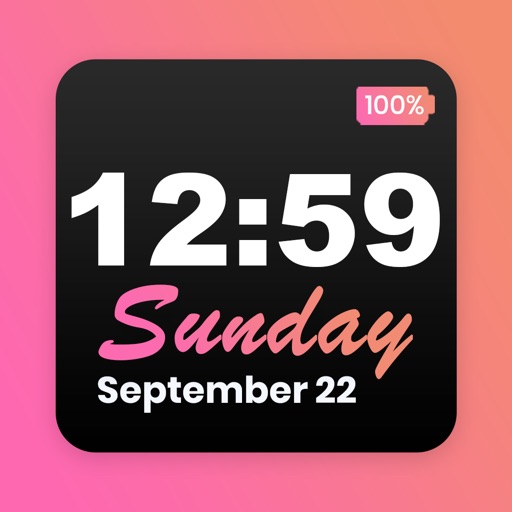
Customize home screen with featuring font, theme, and background options. Set clock with battery percentage, date, and time. Quickly install and configure for iOS 14+ devices.
Create and customize -coded to mark important dates. Set reminders for birthdays, anniversaries, and personal milestones. View upcoming events and celebrate special moments with visual reminders.
Sync calendars, set priorities, mark reminders done
Manage calendars and reminders by syncing with phone calendars, selecting which ones to display, and setting priorities for conflicting events. Mark reminders as done on the . View next event on Siri face.
The app provides custom widgets for the device's Home screen and Today view. Users can view and edit system calendar events, add new events, and customize the widget's appearance.
Set sessions with customizable timers and guided sessions. Track progress and receive reminders. Adjust volume and focus on breathing. Sync with health apps to monitor wellbeing.
Set a customizable on the home screen with various design options. Choose from different styles and layouts. Adjust time format and color settings. Place the in iOS14 home screen for easy access.
Record daily feelings emotion stickers, photos, and text. Create and view timelines. Navigate dates quickly. Backup and restore data. Use dark mode and screen . Set reminders and search entries. Change fonts and sync iCloud.
Track upcoming events and view days remaining or passed since a special date. Add events like birthdays, holidays, or exams. Organize events into folders. Set reminders and receive notifications. Share events with others. Sync across devices.
Track events in the past and future with customizable units. Edit and rearrange events using up to 20 colors. Sync events across devices via iCloud and set notifications.
Track and manage important dates with customizable countdowns. Set reminders for events, view progress bars, and receive notifications. Save memories and notes associated with each countdown. Sync data across devices and share countdowns with others.
Plan events, manage calendars, customize schedules
Manage business events and programs with a customizable . Add, edit, and delete events. Set reminders and personalize views. Sync across devices for on-the-go scheduling. Track appointments and meetings efficiently.
Track Azan and Iqama prayer times. View events and news. Access Jumaa times, Khatib names, and donation options. Stay updated with community activities and schedule events.
Countdown timers track days, weeks, or months until events. Set custom backgrounds and schedule up to three notifications. Tap to view live countdowns with seconds precision.