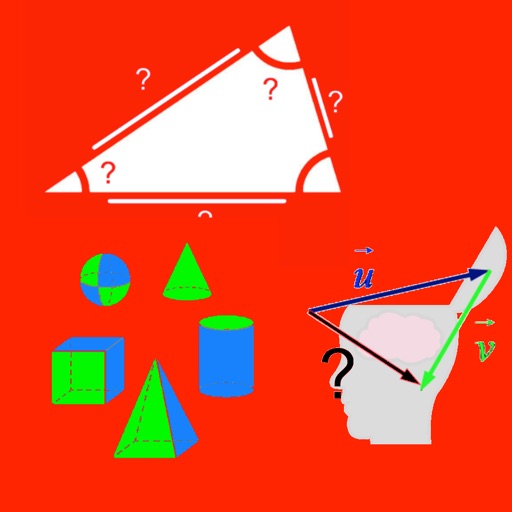
Calculate lengths, angles, and area of shapes. Select a shape from a list. Enter values in boxes linked to orange points. Adjust point positions using the NEXT button or tapping points. Retrieve calculated measurements based on input.
by Noriyasu Kutsuzawa★ 4.631 ratingsProductivity$0.99Data updated 2026-10-14
The app allows students to explore geometry and fractions by creating designs or filling outlines with shapes. It provides tools for measuring angles, duplicating shapes, and annotating work to demonstrate understanding.
The app offers a scientific calculator with complex number support and programmable keys. It includes graphing capabilities for up to nine equations, vector and matrix calculations, and a unit converter for various measurements.
Calculate cylinder forces and speeds. Determine pump speed, torque, and power using displacement, flow, and pressure. Compute fluid velocity, cross-sectional area, and Reynolds number for lines.
Teaches through matching and sorting games. Includes 12 challenges for circle, square, triangle, rectangle, pentagon, hexagon, octagon, crescent, star, and diamond. Practices color recognition through interactive activities.
The app provides step-by-step geometry solutions that update as users change graphics. It includes interactive definitions, transformations, and constructions for learning.
The app provides augmented reality markers for science classrooms. Users download and print markers associated with polyhedra, including cubes, spheres, and pyramids.
Calculate angles for cross braces and table x bracing. Input width, height, and board dimensions. Choose board orientation. Display angles for board ends and intersections. Support imperial and metric units. Provide board length requirements.
Play against another human or AI opponents. Place pieces on a board divided into 32 squares. Win by getting four pieces in a row around the circle, in a line from the center, or in a spiral. Track turns and piece placements during gameplay.
Learn geometric using compass, pencil, and straightedge. Watch animated demonstrations to understand steps. Practice by creating yourself. The checks your work and confirms accuracy. Smart snapping aligns objects automatically.
Connect with community members through messages and event notifications. Access media content such as sermons and videos. Make donations securely. Learn about church activities and updates. View location details and service schedules.