Write and edit text across devices with real-time cloud synchronization. Save and backup documents securely. Support multiple platforms for seamless switching. Offer a clean, distraction-free interface for focused writing.
Turns iOS device into a Wi-Fi trackpad and keyboard. Control Home Theater PC remotely. Supports Windows/Linux with VNC server and macOS with Apple Desktop. Includes multi-touch trackpad and international keyboard.
Documents using the device camera or existing photos. Crop, rotate, and enhance scanned images. Add text annotations and signatures. Save files in PDF or image formats. Share documents via email, cloud storage, or messaging apps.
The app uses cloud technology for mobile surveillance without difficult network setup. Users can view devices via iOS devices after plugging in the DVR or IPC and registering with the cloud server.
Manage files by uploading, downloading, or syncing between local storage and cloud. Share folders with users and set access controls. Edit cloud files directly and save changes without synchronization. Backup files automatically to cloud storage.
Read and annotate PDF documents with highlighting, commenting, and signature tools. Bookmark pages and organize files. Export pages as images or text. Share documents via email or cloud services. Search for text within files.
The app allows users to create, edit, and save clipboard items. It syncs clipboard items between computers and mobile devices, and pins items for access.
The app offers task management and time tracking with features for cost calculation and invoicing. It provides synchronization across computers and mobile devices.
Play audio files like MP3 and WAV from cloud storage. Organize and select individual songs from folders. Choose repeat modes including No Repeat, Repeat All, or Repeat 1 Song. Use shuffle to randomize playback order.
Copy links to clipboard by tapping links and using the "Copy to Clipboard" button. Open links in the for direct copying. Access native VisionOS features for spatial interaction. View open-source code and submit patches. No ads or user data sharing.
Files between devices using Wi-Fi. Send photos, videos, contacts, and documents with a few taps. Supports cross-platform transfers between iOS and other devices. Securely without internet limitations.
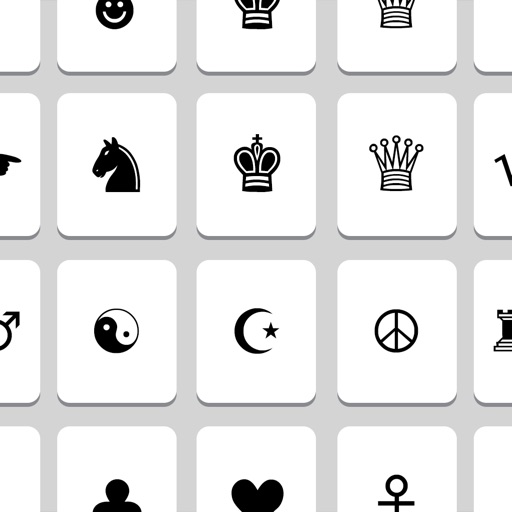
Send custom and emojis to friends. Access over 500 unique not found on standard devices. Copy to clipboard or share via text, email, and other messaging apps. Create custom combinations for messages.
Secure and organize digital life with encrypted data storage, password managers, and features. Monitor permissions, set screen time limits, and automate task scheduling. Sync across devices and back up files to cloud storage.
The app is a secure mobile browser that helps protect users against phishing and malicious attempts to steal personal information. It also provides 5GB of cloud storage to encrypt and password-protect documents and photos.
Content from iPhone or iPad to -enabled TVs. Mirror screens and play audio/video directly. Supports Windows, Mac, Apple TV, and smart TVs. Share content without additional setup.
The app allows users to copy previously added and commonly used phrases to the clipboard with one click. It is designed for writers, chatters, bloggers, and anyone who frequently copies text.
The app allows users to read and write to various databases including MS Access, Excel, and SQL Server. It enables wireless synchronization of databases between a desktop and an iPhone on the same local network.
Convert units across categories like length, area, and temperature. Perform simultaneous conversions and customize preferences. Copy converted values to the clipboard for quick use.
View, edit, and organize documents in formats like PDF, Word, and Excel. Merge files, add comments, and annotate pages. Save and share edits directly. Sync across devices and access cloud storage integrations.