
iDoodle2 lite
Josiah Larson
Create drawings with color and shape tools
The app allows users to draw with various colors and shapes. The app includes tools for saving and sharing drawings with others.

Write notes and share across platforms
Take notes with customizable colors and line thickness. Undo and redo actions available. Share notes via Facebook, Twitter, LINE, or email. Disable line tracing for cleaner visuals. Save notes for later access.
Showing 161–180 of 1,000 ranked alternatives.
Josiah Larson
Create drawings with color and shape tools
The app allows users to draw with various colors and shapes. The app includes tools for saving and sharing drawings with others.


Below 43 Limited
Paste text
Write and organize text with a minimalist interface. Record appointments and paste code snippets. Use scratchpad features for notes and ideas. Enable undo/redo via shaking. Access lights off mode with swipe gestures.

FugaPiyo Inc.
Count down and track events
Timer for event tracking with customizable date and time settings. Set repeat dates and notifications. Choose background color, image, text style, and placement. Organize events into folders. Calculate date, time, and time differences.



朝民 肖
Take notes, sketch, and organize ideas
Take handwritten notes with customizable pens, including Chinese-specific tools like a fountain pen and laser pointer. Create and organize notes in a whiteboard, notebook, PDF, mind map, or flashcards format. Sync and share notes across devices.

Tuyen Bui
Write, capture, and organize notes
Write, collect, and capture ideas as searchable notes, notebooks, checklists, and to-do lists. Create notes with text, sketches, photos, screenshots, and image files. Share notes for collaboration and discussion.

BUILD LLC
Write , set timers, take photos
Create and customize 12 color options. Set timers for reminders, capture photos, and save for later. Organize for shopping lists, meeting details, ideas, and daily tasks.

FugaPiyo Inc.
Scroll calendars, set dates, manage events
Manage events with customizable colors and labels. Set start day and year. Display holidays and days off with color coding. Use Rokuyo support and 24-hour time format. Add event labels with adjustable font size and color.

Futoshi Niiho
Note quickly and edit freely
Take notes with a clean, intuitive interface. Create and edit text entries. Save and organize notes in folders. Share notes via email or messaging. Customize font size and color. Sync across devices.
NAOYA ONO
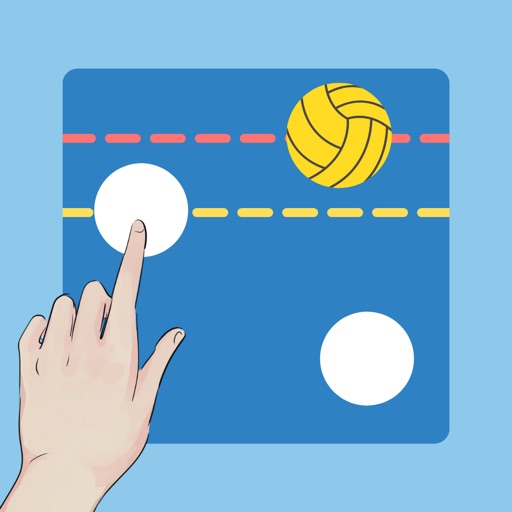
Manage player lists and tactics for games
Create and customize a by adding or removing players and setting detailed player information. Adjust line thickness and color for drawings. Save and share screenshots. Slide the menu horizontally for access to settings.

Ryosuke Tamura
Quickly, see instantly
Create and manage notes with a home screen for quick access. Add text, images, and voice memos. Set reminders and organize notes into folders. Sync across devices and share notes via links.

楠 唐
Remind with notes and punchlines
To-do list notes allow item-by-item task recording with completion tracking. Text notes support customizable fonts and text input. Punch-in notes enable time tracking with start and stop functions. Widgets display reminders on the home screen.

受杰 柯
Take notes, write, and organize ideas
Take notes with text, handwriting, or keyboard input. Organize content into multiple notebooks. Insert images into notes for better context. Save unlimited drafts and memos for personal and academic use.

Keitaro Ohno
Create charts and visualize data
Create line charts, bar charts, and pie charts. Input data manually or copy-paste from spreadsheets. Customize colors, labels, and axes. Export visuals as images or PDFs. Share charts via email or messaging apps.

Jens Egeblad
Write, draw, and annotate notes
Create handwritten notes on iPad or iPhone. Import and annotate PDFs. Draw ink with finger, resize, recolor, and move doodles. Add text with customizable fonts, color, and alignment. Include shapes like arrows, polygons, and diagrams.

DoItWell Application Ltd
Remove background from photos
Remove similar color backgrounds from images and save transparent versions to the camera roll. Erase using finger or wand tools. Zoom and rotate with two fingers. Crop photos and share to other apps.
Apps are ranked by functional similarity, category fit, rating confidence, and popularity.