Apps Like Pic Cut Out - Background Paste for iPhone and iPad
Cut out backgrounds and images
Remove backgrounds from images by drawing a closed curve. Automatically erase similar color areas for transparent results. Adjust brush size for precise edits. Pan, zoom, and rotate images.
by 立明 张★ 4.5678 ratingsPhoto & VideoFreeData updated 2026-09-09
The app allows users to create Grinchmas cards using Seuss characters. Users can personalize cards with stamps, borders, and text, then share them via social media or save them.
Remove backgrounds from photos using AI. Select images from the gallery, automatically detect and cut around people or objects. Save as transparent PNG or replace with HD backgrounds. Edit and share edited photos directly.
Annotate photos with text, drawings, and hand-drawn elements. Add watermarks and autographs. Create and share Photocards. Incorporate internet memes. Edit and enhance images for personal or professional use.
Customize iPhone's and with 150+ pre-designed styles or create shapes. Apply wallpapers that blend with the display. Adjust design elements to fit personal preferences.
Edit with filters, stickers, and emojis. Create photomontages with built-in effects. Apply artistic tools for detailed edits. Add with customizable fonts and colors. Export and share edited images directly.
Take photos with multiple filters, light leaks, and effects. Use a timer, volume keys, and composition lines. Crop images in various ratios. Edit photos with filters and apply them to images taken with other apps.
Edit photos with effect and features. backgrounds and apply black-and-white conversion. Select areas for contrast. Zoom with two-finger pinching. Adjust brush size, opacity, and offset. Export edited images.
Create custom memes and stickers from photos. Choose images of animals or funny moments. Add text with custom fonts and colors. Apply outline and background effects. Export to iMessage, Telegram, WhatsApp, Discord, Slack, WeChat, and QQ.
Edit photos using presets, crop, straighten, adjust exposure, saturation, brightness, contrast, and shadows. Apply textures to enhance images. Save and share edited photos directly.
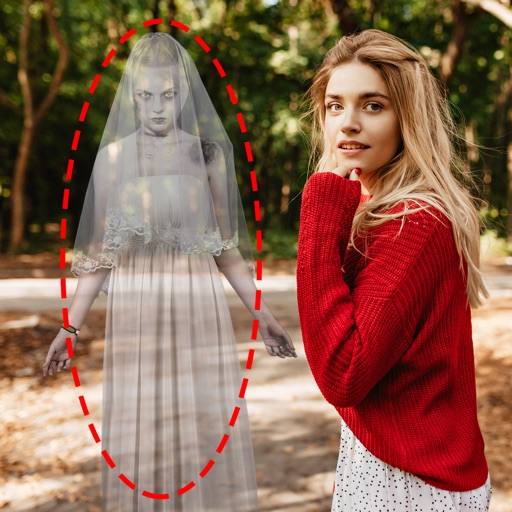
Edit photos by adding ghosts, monsters, or zombies from 62 options. Adjust transparency, color, saturation, brightness, and contrast for each creature. Position and resize creatures freely. Share finished photos with friends.
Edit photos with auto and drawing tools. Apply 20+ effects and unique shapes. Zoom for high-resolution details. Use brush offset to avoid finger interference. Preview and adjust focus areas. Export edited images directly.
Edit photos by adjusting brightness, saturation, and contrast. Crop, rotate, and apply special . Draw on images, add text, and create graffiti. Share edited photos directly from the .