Send photos and videos to a Wi-Fi Cloud Frame for display. Add captions and comments to photos. Share up to 15 seconds of video. Invite friends to contribute content. Control the frame remotely via the .
by Creedon Technologies USA LLC★ 4.15,093 ratingsPhoto & VideoFreeData updated 2026-09-09
Create by selecting from various and adding photos from the gallery or camera. Adjust photos with zoom, rotate, and move gestures. Save and share customized greeting through social networks.
The app allows users to send photos directly to CEIVA frames from any location. Users can also view, save, share, and store their photos, and invite others to send images to their frames.
Create images using AI by uploading photos of parents or celebrities. Generate realistic portraits in seconds. Save and frame images in a digital album or picture frame. Share results with friends.
Extract high-quality photos from videos or Live Photos. Select individual frames to save as images. Share extracted photos directly from the . Supports burst extraction and offers precise frame selection.
Apply flower to photos from your album. Choose from various like roses, daisies, and sunflowers. Add color filters and adjust appearance. Share edited photos with family and friends.
Create collages by selecting photos and arranging them in customizable layouts. Choose from 200+ frames and templates. Adjust colors, borders, and backgrounds. Edit photos with crop and enhancement tools.
Edit photos and videos with AI-powered face detection and moving object tracking. Anonymize videos by removing faces without uploading data. Crop, adjust colors, and apply filters. Export edited media directly to social platforms.
Edit videos and photos with background addition for portrait or landscape formats. Apply blur effects without cropping. Share edited content via a new sharing screen. Access media across devices from a centralized library.
The app captures swings in full HD for slow motion and frame-by-frame playback. It offers multiple drawing tools, video analysis, and comparison features.
Create flipbook animations with frame-by-frame drawing. Use pressure-sensitive pen and eraser tools for artistic effects. Edit with undo/redo features. Add predefined animations and effects. Export and share finished projects.
Create collages by combining photos and templates. Add text, stickers, and frames. Choose from various styles and themes. Share finished collages on social media or via email. Edit images with basic tools like cropping and brightness adjustment.
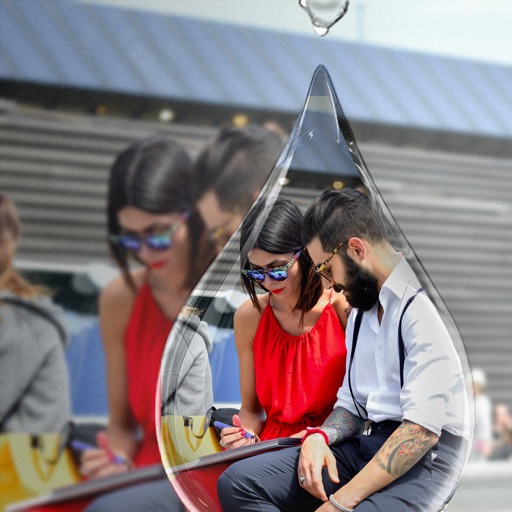
Edit photos with PIP frames, collages, and creative layouts. Add crystal bottle patterns and cartoon styles. Share edited photos directly to social media. Adjust brightness, contrast, and colors. Crop and rotate images.
Personalized by selecting photos or from the gallery and applying favorite frames. Adjust images with zoom, rotate, and move gestures. Choose background music or mute the video. Save and share the final video through social media apps.
Convert videos to high-quality images with frame extraction. Play videos with smooth playback and beauty enhancements. Edit and share them on social media or via email. Save edited to the camera roll. Manage exported photo files.
Create custom designs with photos using templates, fonts, filters, frames, and hand-crafted stickers. Organize and save moments. Share edited photos directly.
Access and display photos and videos from NAS or Cloud Storage via WebDAV. Randomly stream cherished moments as a digital picture frame. Share curated memories with friends and family. Organize and view media without additional storage requirements.
The app decreases video file sizes by 80% or more. Users can identify large videos and adjust frame rate, bit rate, and frame size to control quality and file size.
Create dynamic slideshows with auto-updating content from cloud storage. Add custom animations, video playback, clock, and weather overlays. Display photo details and sync with iCloud, Google , Google Drive, Microsoft OneDrive, and Dropbox.