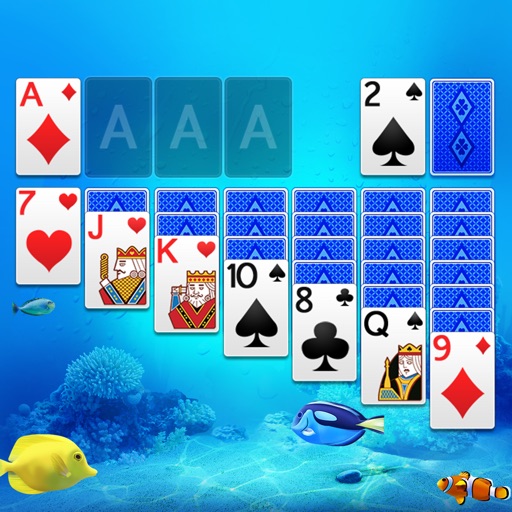
Play Solitaire with Draw 1 and Draw 3 modes. Access Vegas games. Customize card faces and backs for different screen sizes. Choose from various game board color options. Adjust game settings for enhanced visuals and sound.
Play by removing all cards from the table to build four suit sequences from king to ace. Move cards by matching suits of the same color. Complete levels by clearing the board.
Play with standard game rules. Tap to reveal cells, flag potential mines. Customize game modes, adjust difficulty, and track high scores. Enable sound assistance for hints. Share feedback or report bugs via email.
The app is a solitaire game played with two decks of cards. It offers options to draw one or three cards at a time, supports landscape and portrait orientations, and includes features like unlimited undo, hints, and auto-complete.
Play by matching suits and stacking cards in descending order. Choose between 1, 2, or 4 suit games. Remove cards by matching suits. Clear the tableau to win. Save progress and replay games.
Play by solving combinations to complete levels. Draw three cards from the deck, match them with open cards, and move selected cards by double tapping. Track progress and strategize to win each game.
Play puzzles in competitive multiplayer matches. Find hidden words in grids and compete against other players. Earn cash or virtual rewards through tournaments. Track progress and improve recognition skills.
Play with 3 difficulty levels. Move cards by single tap or drag and drop. Restart the same game. Receive game tips for helpful moves. Enjoy larger cards, sound effects, and stunning animations in landscape or portrait mode.
Play with ad-free gameplay and classic card layout. Shuffle cards using the same algorithm as Windows . Enjoy modern graphics and Retina display support for and Pro. Track game progress and replay previous hands.
Play with a beautiful interface and intuitive controls. Tap or drag to move cards. Choose from easy, hard, or Vegas-style game modes. Use hint and undo features as needed. Track progress and replay games.
Play with customizable themes and varying difficulty levels. Arrange cards to clear the board by matching sequences. Undo moves and restart games. Track progress through multiple levels and challenges.
Choose a photo from your camera roll or take a new one, then apply effects automatically. Select from various styles, adjust positioning, zoom, and customize edits. Save and share the final .
Follow topics and engage in real-time discussions about current events and cultural moments. Choose from diverse community-driven feeds to explore content on news, art, pets, science, and more.
Play by arranging cards in descending order, alternating colors. Move cards between stacks, place Kings on empty spaces. Tap the deck for extra cards. Build foundations from Aces to Kings.
Play by matching three cards of the same rank and suit. Clear the board by removing all cards through strategic pairings. Track progress across levels with beautifully arranged card layouts.
Play FreeCell using a standard 52-card deck. Move cards to four Foundation piles to build suits from Ace to King. Rearrange cards between tableau piles. Undo moves and restart games. Save progress and access hints.
Play solitaire with classic Klondike rules and new card designs. Move cards between tableau piles, build sequences down from King to Ace. Complete foundations by matching card suits. Undo moves and restart games.