Create artistic images with single-tap camera effects and professionally designed filters. Adjust brightness, contrast, and tone curve. Blur and focus images. Rotate, crop, and resize photos. Add text and fun stickers.
by Quantis, Inc.★ 4.483 ratingsPhoto & VideoFreeData updated 2026-09-09
Capture photos and videos with real-time filters applying effects during recording. Adjust filter position by tapping, swiping, or pinching. Edit videos with multiple filter styles ranging from funny to artistic. Share edited content directly.
Edit photos with filters, effects, and adjustments. Add text with multiple fonts, colors, and effects. Overlay text or add captions and 3D text. Include stickers, artwork, and frames. Create collages and personalize cards with photos.
Edit photos with retro stickers, texture filters, and local additions. Adjust brightness, contrast, and saturation. Save edited photos with memory storage features. Share edited images directly.
Capture photos and videos with customizable PIP frames. Apply foreground filters and background effects like blur, zoom, and comics. Add motion effects such as fire and snow. Create PIP videos or GIFs and share directly.
Apply filters and to photos. Select from pre-designed templates to create images or cards. Edit photos by adding text, stickers, and custom . Share edited photos directly.
AI enhances photos and videos with one-tap processing. Adjust brightness, contrast, and color balance. Remove blemishes and imions. Add text overlays and stickers. Export in various formats and share directly.
Edit photos using tools like crop, adjust, and enhance with Hi-Def, Scenery, Food, Portrait, and Night modes. Add frames, stickers, text, and . Stylize with over 100 free and purchasable filters. Remove red eye and blemishes. Draw and create memes.
Create collages with customizable blur backgrounds and adjustable layouts. Apply filters like black and white, vintage, and retro to enhance images. Edit photos by resizing, cropping, or deleting elements.
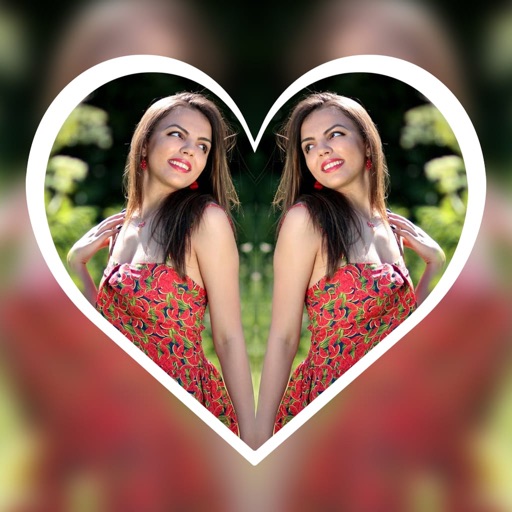
Create reflection effects with left-right, up-down, or repeat options. Apply effects and designer frames to enhanced images. Select from gallery or capture new photos for editing. Export and share edited images.
Create collages, cards, and albums using photos. Select from hundreds of templates and customizable grids. Add backgrounds, frames, and text. Edit images with cropping, filters, and adjustments. Share finished projects directly.
Edit photos with filters, effects, and shapes. Add text and stickers. Crop and adjust images. Share directly to social networks. Apply pre-designed styles for modern looks.
Edit with film filters, light leaks, and grain effects. Apply motion blur and blur. Adjust colors using a magic color tool. Export edited images in various formats.
The app offers a professional-grade camera with manual controls for exposure, focus, and white balance. It also includes a nondestructive photo editor with adjustments for color, sharpness, and skin tone.
Edit photos using a variety of art filters and effects. Apply themed backgrounds and templates like Memphis, Poster, and Tropical. Customize designs with layered elements and export edited images in multiple formats.
Edit photos with color filters, brightness, and contrast adjustments. Add stickers and text. Apply film-inspired presets and advanced camera controls. Export edited images in multiple formats.
Edit photos and videos to post full size content to Instagram and other platforms without cropping. Add audio, effects, frames, text, stickers, and overlays. Trim, rotate, scale, and flip media.