Edit photos with filters, cropping, and brightness adjustments. Create collages and custom cards with design tools. Add text, stickers, and backgrounds. Export edited photos in various formats and share directly.
Create collages by combining multiple photos and videos. Choose from , poster, or editor modes. Adjust layouts, add effects, and stitch content together. Edit images with filters, cropping, and text overlays.
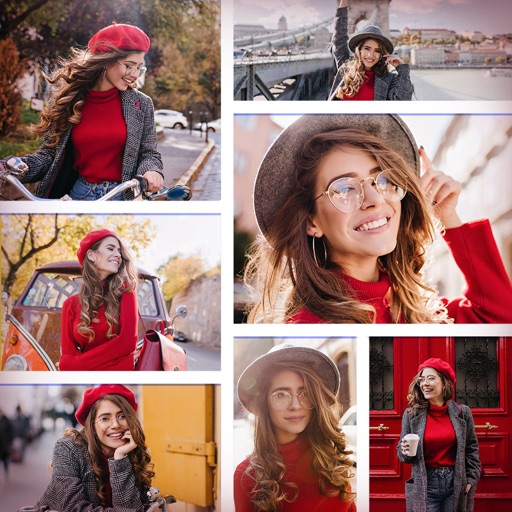
Create photo collages by combining 2 to 9 images into one. Adjust size, position, and layout. Choose from various templates and styles. Add stickers, frames, effects, and patterns. Share finished collages directly.
Capture photos and videos with one tap using AI technology. Apply film simulation to reduce sharpness and simulate film sensitivity. Adjust filters and styles freely. Enhance colors intelligently for vivid results.
Create collages by adding personal photos and selecting from various . Design layouts with text, stickers, and effects. Export and share finished collages directly.
Trim clips, adjust transitions, add effects, create
Create custom videos by trimming clips, adjusting transitions, adding effects, and editing audio. Share videos directly to social media or messaging apps. Export in high quality for offline viewing.
Edit photos using aesthetic filters and popular effects. Apply stylish templates and create rich collages. Enhance images with easy-to-use tools and share directly to social media.
Create artistic images by masking subjects and separating them from backgrounds. Apply filters to subjects or backgrounds for dramatic effects. Adjust styles and textures to enhance visual impact. Share edited photos directly from the .
Create collages from up to 9 videos. Choose from various frames or none. Add visual and music. Use editing tools to customize projects quickly. Access templates for inspiration. Share finished collages directly.
Allows users to shoot photos and videos with 30+ simulated cameras, each replicating the color and texture of classic cameras. Users can apply unique styles to existing media or shoot directly.
Create collages using free backgrounds, stickers, and fonts. Add text and images. Save collages to device or print. No account or social sharing required. Suitable for classroom and children use.
The app creates photo collages in user-defined sizes for various platforms and printing needs. Users can select from over 300 layouts, adjust images, and save or share the final collage.
Take selfies with a live beauty and apply custom filters. Create collages in 18 styles with masks and frames. Add spiral or neon effects to photos. Enhance and save library images. Capture selfies with a timer.