Apps Like R+ m.Motion2 (ROBOTIS) for iPhone and iPad
Edit robot motion files on mobile.
The app allows motion editing and download for educational robots. Users can generate, edit, and download motion files using a virtual 3D robot or by connecting to a robot controller via Bluetooth.
by ROBOTIS CO., LTD.★ 2.73 ratingsEducationFreeData updated 2026-11-19
Explore detailed 3D weapon models with animated parts. Disassemble and reassemble guns to learn their mechanics. Operate in OPERATION mode to compete globally. View internal components like gears, barrels, and chambers.
Access educational games and activities for learning. Play 36 games and one new mini game. Features include spelling exercises, interactive lessons, and progress tracking. Supports child-friendly interface and updated graphics.
The app combines motion, sound, and shapes for interactive play. Users can create colorful shapes with sounds and motions by tapping and swiping the screen.
Control and program the robot from the Robotics: Smart Machines - kit. Adjust movement settings via a built-in keypad. Download and upload programs to customize behavior. Monitor sensor data and adjust parameters for different tasks.
Explore the gears and dials to understand ancient astronomical models. Adjust crank motion with a slider for clockwise or counter-clockwise rotation. Swipe to rotate and pinch to zoom for detailed inspection.
Watch footage with commentary and production notes
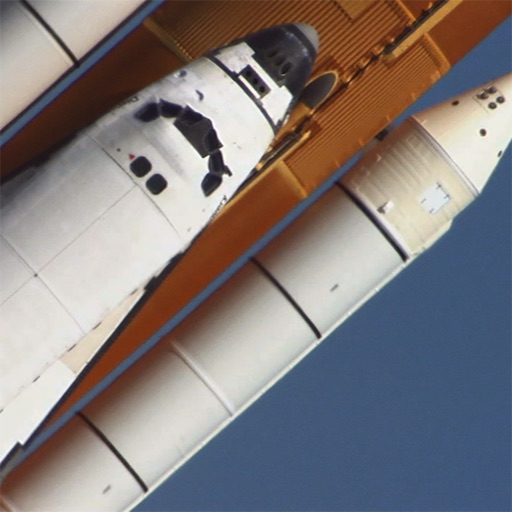
View and playback footage from STS-114, STS-117, and STS-124 missions. Access commentary, additional scenes, images, and production notes. Search and navigate through the entire collection.
Control robot movement and robotic arm via Bluetooth. Use additional buttons for general purposes. Access datasheet for integration instructions with BBC micro:bit.
Access formulas for Physics, Chemistry, and Maths including Algebra, Analytical geometry, and Differential equations. Search and locate formulas quickly. Sync across iOS devices with device-specific UI. Update content regularly with new formulas.
View planetary orbits and simulate motion to observe planetary alignment and movement. Adjust time speed to visualize scale and dynamics. Access data anytime for educational exploration.
Create and arrange using clip-based editing. Trigger samples and loops, record audio, and capture MIDI performances. Drag and drop clips to experiment with arrangements. Edit audio and MIDI with shaping .
Solve arithmetic problems within a two-minute timer. Create equations using numbers and symbols. Compete against friends or a computer opponent. Earn points for complexity and creativity. Track progress and practice math skills.