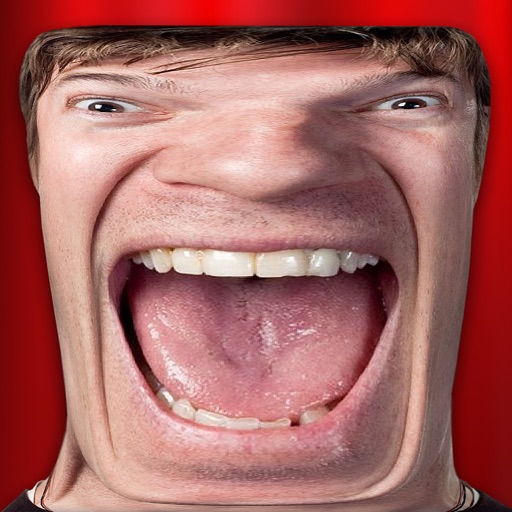
Apply effects to photos. Share edited images on Facebook, Twitter, WhatsApp, and Instagram. Adjust settings to customize the appearance. Save and export modified photos.
by Rachid ERRAZI★ 4.17,101 ratingsPhoto & VideoFreeData updated 2026-09-09
Create collages by adding photo grids, frames, and filters. Apply effects like sepia and retro. Add stickers and text. Share collages via messengers and social networks. Edit photos with built-in frames and layouts.
Create short-form by recording or uploading footage. Add text, stickers, and background music. Edit clips, adjust speed, and apply filters. Export for Instagram, TikTok, Twitter/X, YouTube Shorts, and LinkedIn. Share directly to social platforms.
Create videos with filters, effects, and stickers. Add music and cinematic transitions. Edit photos into slideshows with customizable templates. Export and share finished videos directly.
HC MAKER - PHOTO LOGO BACKGROUND EDITOR APPS FOR FREE
Apply filters and share photos
Edit photos by importing or taking a picture, then applying curated filters designed by professional photographers. Save edited images and share them directly. Access a library of free images for inspiration.
Create and share clips automatically. Select a , choose video type, and generate short or full-length . Share directly to Instagram, Facebook, Twitter, LinkedIn, WhatsApp, SMS/iMessage, and more. Set up automatic audiogram for new episodes.
Add , captions, and quotes to or artworks. Apply filters and blur effects. Share directly to Instagram, Facebook, Twitter, Tumblr, or blogs. Create and save custom graphics for social media.
The app offers tools to enhance photos, remove blemishes, and apply various effects. Users can combine photos into collages, add stickers and frames, and adjust image properties like brightness and contrast.
The app offers numerous standard layouts and artistic filters, including B&W and vintage effects. Users can adjust exposure, contrast, saturation, and white balance for their photos.
Add realistic dinosaurs to photos with tap-to-place features. Choose from over 60 species including Tyrannosaurus, Pteranodon, and Stegosaurus. Share edited photos on social media platforms like Facebook, Twitter, and Instagram.
Edit photos with effects, , and . Add creative overlays and stickers. Adjust brightness, contrast, and saturation. Crop and rotate images. Share edited photos directly to social media.
Apply -themed to images from the gallery or camera. Adjust frame size and position by rotating, scaling, zooming, or dragging. Choose from fifteen in various shapes and colors. Save edited photos to the device.
Create videos by combining photos and videos. Trim and merge media files. Add background music and transitions. Apply filters to enhance videos. Import from photo library. Share on Facebook, Instagram, YouTube, and email.
Take photos and videos with 9 customizable effects including smile enhancement, face stretching, and character transformations. Adjust effects on-screen. Share images and videos via email, Twitter, or Facebook.
Create memes by adding text captions to photos or selecting from hundreds of images. Customize text color, size, location, and font style. Share memes on Facebook, Instagram, Twitter, email, and text message.
Edit photos and videos with customizable , presets, and effects. Add grain, dust, blur, and dark effects. Adjust colors and create atmospheric effects. Share edited content directly.
Create videos and slideshows with trimming, cutting, and splicing tools. Add filters, themes, music, and text overlays. Export videos in various formats and share via Facebook, Instagram, YouTube, WhatsApp, and other social media platforms.
Add to photos with customizable fonts and styles. Place objects for creative effects. Create posters, covers, and invitations. Edit and share edited images directly.