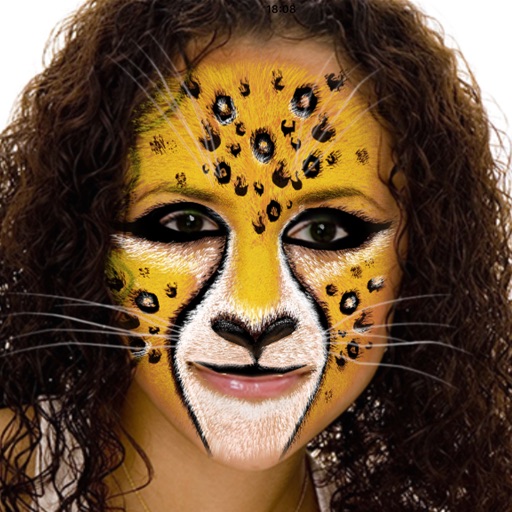
Convert videos and photos into GIFs. Adjust speed, loop, reverse, and change frames. Add filters, effects, text, and animated stickers. Trim, crop, and reorganize frames. Edit individual frames and preserve transitions. Make videos from GIFs.
Play by swiping to throw and break blocks. Break as many blocks as possible before they reach the bottom. Collect items to get more and create endless chains. Beat high scores and compare with friends. Difficulty increases with each round.
Create pictures by applying cartoon filters to selfies and photos. Edit images with graphics and text. Update pictures frequently and save edits for future use.
Apply live color gradient filters to simulate vision and vision effects. Toggle filters on/off with swipe gestures. Customize color schemes to distinguish objects visually.
Rtwork from text input using AI technology. Input ideas and watch them transform into visual art instantly. Customize styles and refine outputs. Share or save generated images directly.
Play search games solo or against friends online. Compete in daily tournaments and leaderboards. Earn achievements and track progress across different board sizes. Sync with GameCenter for multiplayer matches on iOS devices.
And sell crypto art by uploading images. Add metadata and choose marketplace for sale. Automatically renew subscriptions for $3.99 monthly. Manage NFTs and track sales activity.
Allows users to cut, delete, and reverse clips. Apply real-time beauty filters and crop videos with white space. Rotate, flip, or merge multiple videos. Add music from a library and convert videos to GIF or live photo formats.
Play a logic-based quiz with a real-time host interaction. Answer questions to earn points and compete globally. Customize character personalities and experience realistic environments. Track scores and rankings across multiple rounds.
Create -by- videos with vertical and horizontal collage options. Add cool music for vlogs. Choose from popular ratios like Instagram, TikTok, and YouTube. Customize styles and adjust layouts. Share videos directly to social platforms.
Create videos from photos with slide transitions like left, down, or fade. Adjust photo display time and add background music. Export and share the final video.
Record video using front and back cameras simultaneously on iPhone XS and newer models. Capture footage with selfie and frontal view. Share videos publicly. Switch between front and back modes. Use flash light for both cameras.