The app allows users to create electronic music without prior musical knowledge. It features an intelligent rhythm and harmony engine, sixteen sliders, and a sixteen-step sequencer for crafting unique loops.
by Patrik Hedmalm★ 4.65 ratingsMusicFreeData updated 2026-11-17
Create and customize virtual synths with a wide range of sounds, from analog to modern digital styles. Adjust parameters like filters, envelopes, and modulation. Export audio files and integrate with music production software.
Create and control up to 8 synthesizers simultaneously using a built-in keyboard or step sequencer. Connect external MIDI devices for input. Adjust sounds with a dynamic compressor and 10-band graphic equalizer.
The app offers a probability-matrix sample slice sequencer and a classic pattern step-sequencer. It includes time-warping transfer functions for various effects and allows real-time tweaking and triggering.
Create drum sounds and synthesize vocals using a 24-part sound engine. Use a pattern sequencer to arrange beats. Apply effects including a Phrase Vocoder that converts text to vocal-like sounds. Adjust vocal characteristics such as gender.
Play music with a 3D kit and AR kit for immersive practice. Use Beat Pad to control keyboard and pads on one screen. Access hundreds of loops across genres and eight studio-quality sets. Download additional sound banks and use MIDI functionality.
Create and arrange musical sequences using multiple playheads. Manipulate melody speed, direction, and pitch. Apply Baroque and Serialism composition techniques. Export and share projects in audio format.
Create and manipulate audio using granular synthesis techniques. Adjust grain size, direction, and step size. Apply effects such as reverb, wave shaping, and sample crushing. Connect via AudioCopy, AudioBus, Inter Audio, and AUv3.
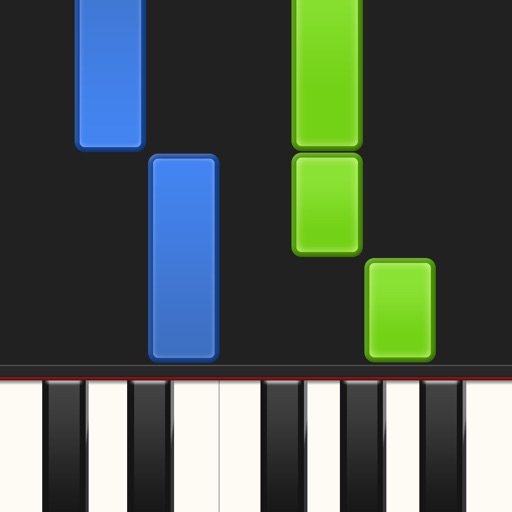
Learn piano by playing falling notes on touchscreen or connected keyboard. Practice melodies with real-time note feedback. Play left or right hand separately. Sync with lighted keyboards. View sheet music or falling note blocks.
The app is a matrix-controlled arpeggiator that allows users to play arpeggios with their thumbs. It offers control over pitchbend, tremolo, and vibrato using the iPad's accelerometer.
Practice with interactive exercises that improve accuracy, rhythm, and note recognition. Use MIDI instruments, microphone input, or on-screen keyboard for flexible practice. Track progress and refine musical skills through targeted sessions.
Create and music using a diatonic playing surface with scale-based navigation. Slide fingers to control notes and adjust pitch. Switch between fretless and diatonic modes. Access in- purchases for additional instruments like GeoSWAM and Naada.
Allows guitarists to control MIDI instruments and loops using a guitar-mounted controller. It enables playing synthesized sounds, arpeggiated patterns, and layered instruments. Users can record and playback audio files triggered by guitar notes.
Create and manipulate melodies using a generative sequencer. Generate interwoven melodies with phase offsets and probability settings. Manually draw notes or disable generation. Send MIDI to external devices or use an included wavetable synthesizer.
Create and edit music with synths, drum machines, and world-class instruments. Record beats and melodies. Import and export audio files. Expand sound library with additional instruments and samples. Sync with other devices for seamless workflow.