
EasyBatchPhoto
Jay Teo
Process many images at once.
The app processes hundreds or thousands of images with a single drag-and-drop. It converts between formats, resizes, compresses, rotates, crops, adds watermarks, and renames images.

Showing 641–660 of 1,000 ranked alternatives.
Jay Teo
Process many images at once.
The app processes hundreds or thousands of images with a single drag-and-drop. It converts between formats, resizes, compresses, rotates, crops, adds watermarks, and renames images.

Boniten, Inc.
Create home movies from photos easily.
The app creates home movies from photos, video clips, and music. Users can add subtitles and transition effects to share movies on Apple TV, YouTube, and iPhone.

Matthias Gansrigler-Hrad
Create stunning videos from photos.
The app imports photos from various sources and arranges them by date or color. Users can add and select parts of a soundtrack to create videos up to 4K resolution.

Hobbyist Software Limited
Apply single image across all monitors.
The app applies a single image across multiple monitors without manual cropping. It supports dynamic wallpapers and allows users to browse images from Unsplash or Flickr.
Kevin Brain
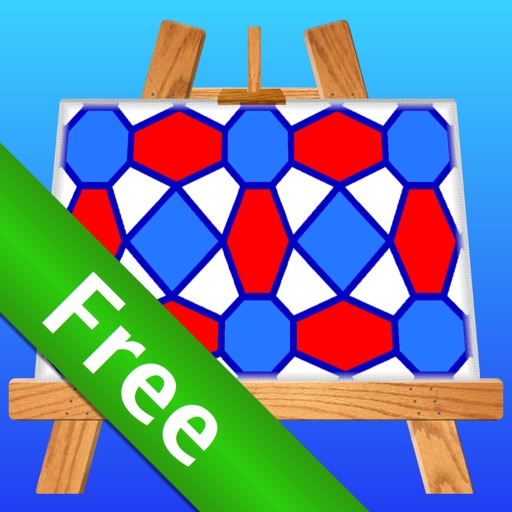
Create custom art and repeating patterns.
The app allows users to create custom repeating patterns and abstract art. It offers a template-based approach for generating unique backgrounds, calendars, and photo frames.

Ephnic Co., Ltd.
Make movies with photos and videos.
The app allows users to create movies using photos, videos, and songs. Users can add transition effects, customize Ken Burns effects, and adjust audio.

NCH Software
Edit movies with many tools.
The app offers video editing and recording capabilities with a drag-and-drop interface for adding audio and video clips. Users can apply effects, transitions, and color corrections to their projects before sharing them online or burning them to DVD.


Hardik Jetani
Edit photos with 1000 filters and effects
Edit photos with over 1000 filters and effects. Apply artistic sketches, paintings, or cartoon styles. Add textures and vignettes. Create cards with customizable templates. Auto-enhance images and export in various formats.



Jay Teo
Capture, edit, and share screenshots
Capture screenshots with a single click. Drag and select specific areas to capture. Annotate images with text, arrows, and highlights. Share or save screenshots directly. Export in various formats. Organize and manage captured images within the .

Apps are ranked by functional similarity, category fit, rating confidence, and popularity.