The app includes a consonant keyboard and a short vowel keyboard. The consonant keyboard places only consonants on the keys and is primarily used for swiping input.
by Sang Hyun Jun★ 3.02 ratingsUtilitiesFreeData updated 2026-11-16
Customize keyboard , phrases, and responses to streamline input. Insert saved snippets and templates quickly. Personalize pre-programmed keys for frequent tasks. Save time by reducing repetitive typing.
Keyboard allows users to customize key layouts and themes. It offers auto-suggestion for text prediction. Users can enable swipe typing and gesture shortcuts.
Manage bookmarks across iPhone, iPad, and Mac. Search using Spotlight. Input links and notes with keyboard. Organize with tags, folders, and Smart Lists. Store images, files, and notes.
Control TV with functions and media playback. Cast photos and videos from Camera Roll. Switch apps and channels. Use keyboard for text input and search. Premium subscription available for enhanced features.
Customize text appearance with font styles, emojis, and text outlines. Adjust keyboard layout and font settings. Create styled text for Instagram posts, bios, stories, captions, and highlight reels.
Write, research, revise, and share with advanced formatting and support. Edit documents, organize notes, and sync with Dropbox. Customize themes and use keyboard shortcuts for efficient workflow.
The app provides customizable keyboard themes with unique visual and sound effects. Users can create their own keyboard sound effects and access various themes like Jeans, Ouiji Board, and Classic Typewriter.
Customize keyboard appearance with LED lighting effects, vibrant , and colors. Choose from multiple backlighting options and animated keyboard designs. Adjust keyboard layout and lighting intensity for personalized typing experience.
Control Sony TVs via Wi-Fi . Adjust volume, channel, mute, and power. Navigate with smooth touchpad. Type using on-screen keyboard. Automatically detect nearby TVs. Simplified interface for quick access.
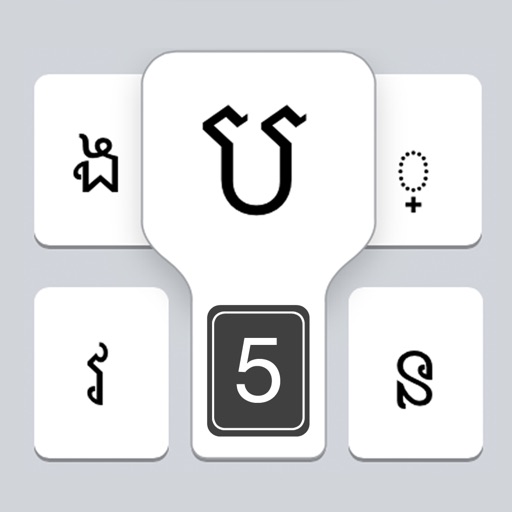
The app provides a fast and beautiful Khmer keyboard for iOS. It includes character preview, a 5-row layout, and full Khmer character support for easier typing.
The app provides Vietnamese typing with spell checking and word suggestions. Users can customize the keyboard's appearance, including color, size, and background.
Control your Mac or PC with an iPhone, , or iPod. Use simulated touchpad and keyboard functions. Access panels for media playback, file transfers, and presentation controls.
Use the keyboard to copy and paste sound effects into messages and emails. Access hundreds of built-in sounds. Audition sounds and save favorites for quick access.
Manage TV functions including power, volume, channels, and inputs. Control smart TVs via Wi-Fi with quick setup. Use touchpad and keyboard for navigation. Access a clean interface for straightforward operation.
AI offers AI-powered conversation suggestions within dating chats. Users can generate witty responses, refine messages, and practice dialogue. The integrates with iOS via a custom keyboard to enhance messaging interactions.