Compete against global players by defeating smaller numbers and avoiding larger ones. Unlock new characters and power-ups. Collect green dots to increase size. Use boosts to move faster and evade red obstacles.
Capture photos with manual controls for ISO, shutter speed, and flash settings. Apply authentic tones and grain. Export images in high-quality formats. Adjust exposure and focus manually. Share photos directly from the .
Take photos and videos with customizable styles and camera models. Create 3D wigglegrams. Adjust settings to match desired aesthetic. Share directly from the .
Apply realistic filters for vintage tones. Add grain and scratches for authentic texture. Adjust exposure and contrast for -like lighting. Export in high resolution and share directly.
Explore interactive stories with tap, drag, and tilt features to uncover surprises. Practice spelling, phonics, rhyming, and reading comprehension through engaging activities.
Correct red-eye in photos using an AI-powered tool. Automatically adjust images to remove the red-eye effect. Apply fixes with three simple steps. Export edited photos in standard formats.
Study for the Commercial Driver's License with practice questions and multi-choice answers. Take simulated tests with randomized questions. Receive detailed scores and email them. Save results automatically.
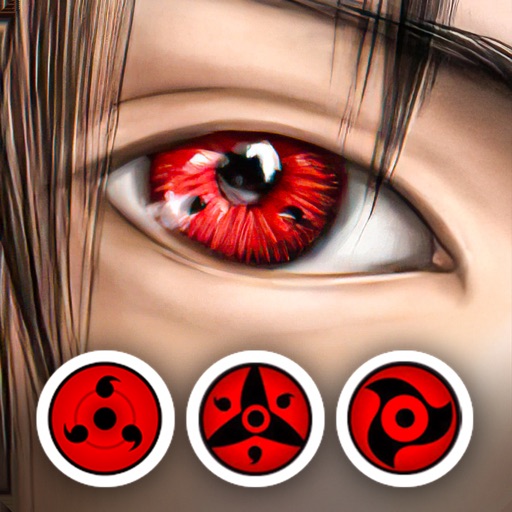
Edit photos with eye and pupil templates. Adjust eye size and remove red eye. Experiment with contact lens effects. Automatically detect eye position. Change and fix eye lenses. Save and share edited images.
Capture photos using emulated analog cameras with adjustable settings for color, grain, and visual effects. Import and edit existing images to apply film-like characteristics. Export edited photos in various formats and share them directly.
Take practice exams that mimic real test formats and timing. Review detailed explanations for each question. Use flashcards to reinforce key concepts. Track progress across 1,000+ courses and manage study goals.
Digital fundamentals through 15 interactive lessons and activities. Use shutter speed, ISO, and aperture calculators to adjust settings. Explore animated camera models to understand or mirrorless functions.
Edit photos with auto enhance, wrinkle removal, skin smoothing, and blemish removal. Whitening teeth and removing red eye. Adjust color, sharpness, and apply color splash. Add background music and record voiceovers.
Edit photos with brushes and black-and-white effects
Edit photos by converting them to black and white and selectively retaining with a finger brush tool. Zoom in and out using two-finger pinching for precise adjustments. Share edited images via email or upload to Twitter, Flickr, or Dropbox.
Connect motion cameras for real-time preview and parameter control. Download images and videos quickly. Edit photos and videos with filters, cropping, and music addition. Share, like, comment, and collect content within a community.
Edit photos by applying lenses and eye effects. Choose from various eye types and colors. Add red circles for a hypnotic effect. Drag and adjust lenses for custom placement. Share edited photos directly.