Choose a photo from your camera roll or take a new one, then apply effects automatically. Select from various styles, adjust positioning, zoom, and customize edits. Save and share the final .
Create and manage albums. Import and export from the photo . Preserve and view Exif data including date, ISO, and GPS. Search by caption or description. Create slideshows and play videos. Edit with cropping, orientation adjustments, and filters.
The app allows users to remove and edit backgrounds of pictures. It offers smart and manual cutout tools, with options to move, zoom, rotate, and crop images.
Create photo collages, scrapbooks, greeting cards, calendars, albums, and posters. Use 180+ templates to arrange images. Add text, stickers, and borders. Share collages directly or export in multiple formats.
Learn Chinese vocabulary from books 1 to 6 of the New Practical Chinese Reader series. Select chapters to study and customize flash card displays with options for simplified Chinese, traditional Chinese, pinyin, or English.
Create strips by arranging story cells and customizing word bubbles. Edit details like shape, style, and placement. Use script editor, image filters, and instant alpha tool. Export and share finished comics.
Take photos or select images from the device gallery for automatic identification. View identification results including names and encyclopedia information. Save recognition records for easy access in future sessions.
View and organize photos and videos in a unified interface. Browse, zoom, and share media directly. Apply filters and edit images. Securely store content with password protection. Sync across devices and manage albums.
The app provides a wide spectrum of black-and-white filter effects for monochrome photographs. Users can capture moments in various forms of black-and-white photography with a sleek touch.
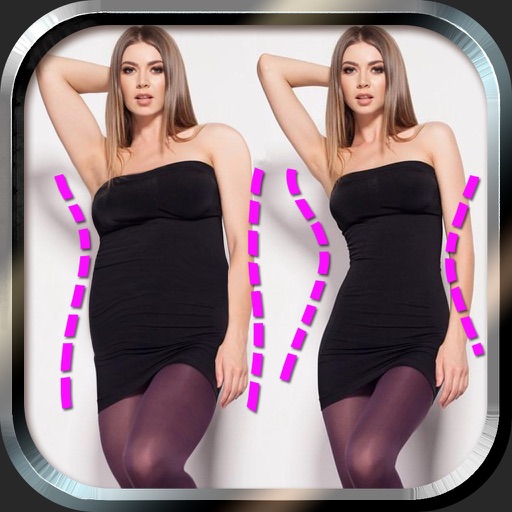
Edit photos to and body using auto-detection. Adjust and body thickness with sliders. manual edits and undo changes. Compare original and edited images. Save results to albums and share via email or social media.
The app allows users to create DSLR-quality photos with blurred backgrounds and bokeh effects. It features an easy editing process with a selection tool and loupe for detail-oriented editing, and users can adjust the bokeh level.
Adds location tags to photos taken with supported devices. Users can geotag images from iPhone, iPad, Mac, Dropbox, and Flickr. The automatically records location data during photo capture. Tags help organize and identify where photos were taken.