Apps Like Tutorials for After Effects for iPhone and iPad
Learn techniques and
Learn techniques with detailed explanations of operations like layer masks, painting, and . Explore MG animation, color correction, and keying. Access additional content for advanced skills.
by 发展 李★ 4.920 ratingsEducationFreeData updated 2026-09-09
Teaches drawing anime characters through video tutorials. Breaks down character design into -by- lessons. Covers foundational techniques and advanced details. Allows users to practice and refine their skills progressively.
Convert spoken words into professional writing formats like emails, blog posts, and social media content. Choose desired formats, and AI rewrites the text. Share finished writing directly to Gmail, iMessage, Notion, and other platforms.
Learn iOS development through interactive with tap, double tap, long press, drag and drop, and shortcut actions. Practice coding features directly in . Solve problems through hands-on exercises and receive real-time feedback.
Exams with real test questions to predict band scores. Use AI scoring to get accurate mock results based on official guidelines. Track speaking performance with detailed feedback. Complete listening, reading, and writing exercises.
Learn Excel, Word, and PowerPoint through with drag-and-drop exercises, shortcuts, and real-time feedback. Practice tasks like formatting cells, creating charts, and applying styles. Track progress and revisit lessons for reinforcement.
Track daily practice sessions and record progress. Access beginner to advanced . Learn techniques, theory, and essential elements. View lesson summaries and practice history. Sync progress across devices.
Learn techniques through video lessons and interactive tutorials. Follow step-by-step guides to practice stitches and complete projects. Track progress and access materials for each lesson. Share finished work with others.
Adjust audio pitch in real time for monophonic signals between 50Hz and 2000Hz. Apply auto pitch correction to male and female voices. Modify correction intensity and speed. Add robotic tuning effects with low latency.
Create and color images of animals like dolphins, bats, and lions. Use tools and brushes to customize artwork. Access a variety of pages and prompts. Save and share creations. Learn basic techniques through interactive lessons.
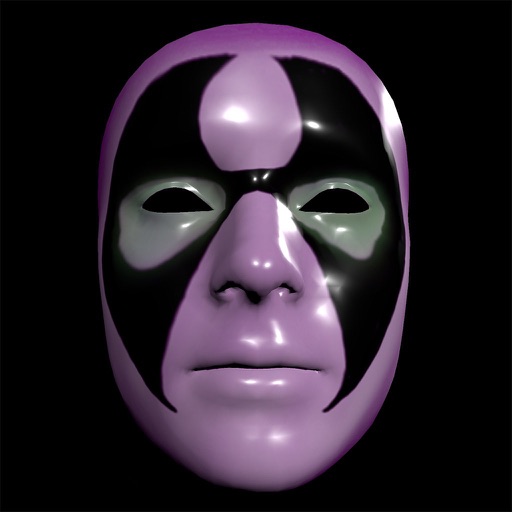
Create and apply custom masks using the iPhone X True Depth Camera for real-time mapping. Edit masks with painting tools, lighting effects, and rotation animations. Access mathematically plotted sci-fi masks.
Learn -making techniques through step-by-step video tutorials and detailed diagrams. Access material guides for affordable supplies. Create bracelets and necklaces at home with clear instructions for all skill levels.
Create videos from text or images using AI technology. nimated avatars for virtual interactions. Edit and enhance photos with AI-driven artistic effects. Transform images into unique visual stories with customizable styles.
Programming with interactive exercises and real-time feedback. Access bite-sized JavaScript and Python lessons. Track progress with gamified challenges. Practice coding in a simulated environment. Receive instant corrections and explanations.
Apply AI to photos and videos to create cartoon, clay, or anime styles. Choose from trending and apply them with a single tap. Save and share the edited content directly.
Browse organized into categories like animals, horror, and weapons. Search for specific sounds or browse by type. Download and use high-quality clips for videos. Share sounds directly within the .
Learn guitar techniques through structured lessons and detailed explanations. Access sheet music, chord charts, and rhythm patterns. Practice with interactive exercises and receive feedback on performance. Track progress and explore different styles.
Explore a 3D globe to learn about countries, their cultures, and geography. Discover fun facts, animals, vehicles, and historical figures. View detailed information on food, traditions, and notable people.