Apps Like Geometry Cheat Sheet for iPhone and iPad
Calculate geometry formulas without math.
The app calculates geometric formulas for users. Users input numbers and the app provides answers for circles, rectangles, triangles, spheres, cylinders, cones, and more.
by Neil Shweky★ 4.310 ratingsUtilitiesFreeData updated 2026-11-14
The app provides augmented reality markers for science classrooms. Users download and print markers associated with polyhedra, including cubes, spheres, and pyramids.
Study the by memorizing angles in radians and degrees along with their coordinates. Play a game to practice and track progress with a high score list. Compete to improve performance over time.
The app shows expressions as users enter them and keeps a history of calculations. It performs fraction and angle conversions, solves equations, and converts between coordinate systems.
The app offers scientific and standard modes with over 30 scientific operations. It supports degrees and radians, parentheses, and output in decimal or scientific notation.
MyCalc offers basic and scientific calculation functions. Users can switch between portrait and landscape modes. It supports currency and unit conversions. Results, equations, and conversions can be copied, shared, or saved.
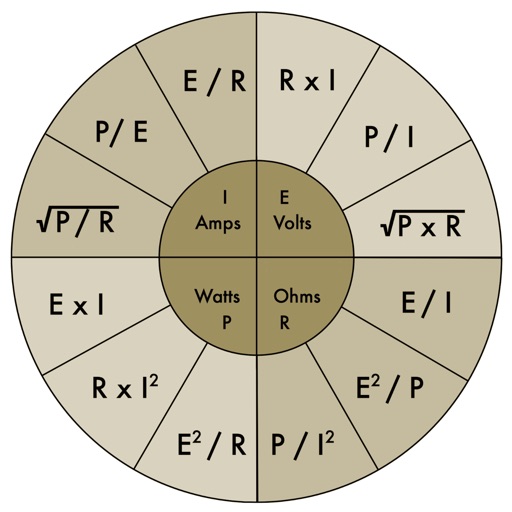
The app provides an electronic pocket reference guide for electrical professionals. It includes sections on motors, wiring, ampacities, grounding, voltage drop, conduit bending, tools, and safety.
Solve , algebra, or geometry problems by snapping a or uploading an image. Receive step-by-step solutions instantly. Ask questions in AI chat for tutor-like assistance. Cover word problems, real numbers, expressions, and complex numbers.
Calculate areas for squares, rectangles, parallelograms, trapezoids, triangles, and circles. Input dimensions to get results. Includes built-in formulas for each shape.
Is a that lets users input and edit formulas with a live display. It supports formula reuse, variable memory, and cursor navigation for precise editing. Users can check formulas for errors and adjust values efficiently.
Perform complex calculations with scientific functions and RPN mode for efficient input. Access 54 math functions including logarithms, square roots, factorials, trigonometry, and coordinate conversions.
Access code updates for 2023 NEC and NEMA standards. View table changes, formulas, and conduit bending guides with video tutorials. Calculate ampacity and conduit fill. Include transformer data and wiring configurations.
Learn colors, shapes, and basic words through interactive games designed for preschoolers and young students. Switch between English, Spanish, French, and Italian. Complete puzzles, match items, and listen to audio instructions.
Convert geographic between systems like UPS/UTM, MGRS, and latitude/longitude formats. Input and switch between decimal degrees, degrees minutes seconds, and degrees minutes. Export results in various formats.
Solve math problems step-by-step with detailed explanations. Input equations to see solutions. Learn algebra, functions, fractions, and graphs. Verify answers and track progress. Supports multiple math topics including linear and quadratic functions.
Calculator++ allows users to input data via "Add X," "Add Y," and "Add Z" buttons. It calculates sum, mean, standard deviation, quartiles, and more. Results are displayed in a table. Box and whisker plots and histograms visualize data.
The app offers tools for studying homework, including graphical curve sketching, solving various equation types like exponential and trigonometric, and simplifying fractions. It also handles integrals, polynomials, and systems of equations.