Create collages with 64 layouts and custom difference templates. Add photo frames, stickers, captions, and text with font options. Edit backgrounds and export finished collages.
Edit videos and photos with background addition for portrait or landscape formats. Apply blur effects without cropping. Share edited content via a new sharing screen. Access media across devices from a centralized library.
Create reflection for photos with left-right, up-down, and repeating options. Apply cool filters and artistic frames. Edit images to generate twins and typography .
The app transforms user photos into videos using an AI that analyzes quality, faces, composition, and lighting. It offers over 40 transitions, a music library, and export options for various social platforms.
Edit photos by selecting frames in square or portrait format. Reposition, resize, and crop images within the . Customize appearance and apply filters. Preview final edits and save to photo library.
Edit videos by adjusting with points for smooth transitions between fast and slow motion. Manipulate time to create dynamic effects. Export edited videos in various formats. Share directly from the .
Record video and photos with DV, CCD, and film formats. Apply retro-style filters and effects. Preview adjustments in real time. Capture images with simulated analog texture and atmosphere.
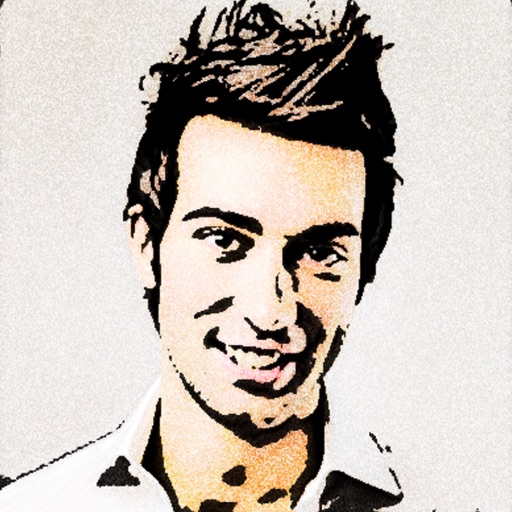
Convert photos to colored or black and white sketches using 7 available effects. Choose a photo from the library or take a new one. Apply a effect and save the result to the device. No internet connection is required.
Edit photos by selecting two images from the library and comparing them. Adjust animation settings including repeats and duration. Customize video size and position of photos. Add music and save the video to Photos or share on Instagram.
The app offers a real-time viewfinder for capturing fisheye pictures. It includes ten lenses and eight film types, with adjustable lens intensity and focus.
Turn photos into 12 styles with adjustable edge thickness. Add stickers before or after cartoonization. Save and share the edited image. No internet connection required.
Create custom photo frames by selecting layouts for 2 or 3 images and adjusting rounded corners. Choose from various frame shapes and colors. Adjust sizes for printouts, wallpapers, or other formats.
Use to create trippy photos by swiping to in real time with 40 3D templates. Apply 10 film effects and choose funny dance or rock modes. Capture photos and videos in square or rectangle formats. Save high-resolution images to roll.
Hide photos and videos with passcode protection. Share media to add to the gallery. Browse content with a smooth, elegant interface. No storage limits for hidden files.
The app allows users to crop photos into a square shape for posting on Instagram. It supports both landscape and portrait orientations and offers various background options and effects.