Create and control orchestral sounds using MIDI input from external keyboards or Bluetooth devices. Adjust instrument parameters, apply effects, and route audio through Audio Unit or Inter- Audio.
Play and record string sounds using MIDI keyboard or DAW integration. Adjust tuning, velocity, and articulation settings. Export audio files and share directly. Supports Bluetooth MIDI and USB connections.
Play virtual organs with authentic sound samples. Select preset tones and effects. Adjust volume and pitch. Save and share recordings. Explore classic rock tracks and soundscapes.
Record and edit audio with MIDI compatibility and learn support. Access factory presets for strings, organs, pianos, and synths. Use four effect sections including reverb and chorus. Adjust stereo width, mono switch, and note hold.
With an 88-key virtual keyboard. Switch between single-row, double-row, and double-player modes. Use multitouch and force touch for responsive input. Adjust keyboard width.
Emulate a vintage 1960s Philips Philicorda organ with 3 octave registers and 5 Vox sounds. Includes spring reverb and vibrato effects. Allows users to create and customize organ tones for music production.
Play musical notes using a MIDI keyboard and pedal connected to iOS or macOS. Access a subset of the 2 pipe organ samples by Joseph Basquin. Adjust settings via the Napo documentation and user manual.
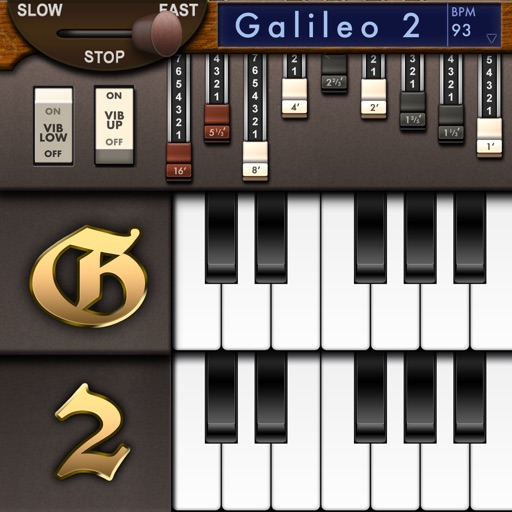
Create and customize sounds with 17 different types. Configure three manuals independently. Use scanner vibrato and chorus effects. Simulate rotary cabinets and tube amplifiers. Access AUv3 plugin for integration.
Play by tapping notes to match songs. Learn through repetition and memory. Track progress and practice favorite tunes anytime. Sync with devices for continuous learning.
Simulate a Hammond Organ B3 with two manuals and a pedalboard. Adjust drawbars for upper and lower manuals and pedalboard. Use a physical modeling engine with 91 tonewheels. Apply rotary speaker effects and tube overdrive.
Allows users to process their into various effects. Apply vocoder, auto pitch, and harmonizing pitch shift. Adjust speed and sample sounds. Create robotic, animal, or comedic voices. Play musical instruments by without physical input.
Play music using optical discs with 57 concentric tracks. Select chord patterns by pressing buttons. Choose from different musical styles like Bossa Nova or Big Band. Control playback speed and volume.
Create loops by repeating played notes until they fade out. Adjust loop length and pitch. Layer multiple loops to build complex textures. Tap to start or stop playback. Save and share custom loops.
The app processes and synthesizes live voice for music creation. It offers tools like vocoders, auto pitch, and harmonizing pitch shift for diverse vocal effects and soundscapes.
Create and edit music using sampled Mellotron sounds from the 1960s. Access a library of instrument tapes including strings, choirs, and horns. Adjust pitch, volume, and effects. Export projects in audio formats and share files directly.
The app provides a virtual piano sound module with a large collection of audio samples for realistic sound. It supports Bluetooth LE MIDI, Audio Unit, and Inter-App Audio, and can be used with external MIDI keyboards.