The app resizes videos by allowing users to drag and drop video files. Users can specify output dimensions or use a slider for resolution, and the app creates a compatible .mp4 output.
by Muruganandh Ramadass★ 0.00 ratingsPhoto & Video$3.99Data updated 2026-11-12
Download videos from cloud drives and play in HD quality. Support background playback for continuous use. Convert videos to MP3 format. Import videos and audio files from Camera Roll, iCloud, Google Drive, Box, and Dropbox.
Convert videos to various formats including MP3, MP4, MOV, WebM, MKV, and HEVC. Extract audio from videos to MP3, M4A, WAV, and FLAC. Compress videos to reduce file size while maintaining quality. Batch import and process multiple videos at once.
Supports MP4, MKV, MOV, AVI, and other formats. Play videos with multi-play option and auto-rotation. Add subtitles in multiple languages. Capture screenshots and save them. Sync videos with computer, iCloud, or local storage.
Organize and manage files and documents with drag-and-drop sorting and folder creation. Transfer files between devices and back up data securely. Open and download files from cloud storage and LAN servers.
Extract audio from files and convert to MP3. Edit ID3 tags and share files via iTunes. Play audio files with background playback and earphone controls. Receive audio/ files from other apps and set a sleep timer.
To reduce file size using a slider for manual adjustment. Maintain quality during compression. No internet required; all processing occurs locally on the device. Save space and prepare for sharing without uploads.
Convert videos to various formats and compress them in batches. Extract audio from videos and save as MP3, M4A, AAC, or WAV. Compress videos quickly to reduce file size.
Files between formats by selecting input sources like iCloud, gallery, or iTunes Library. Choose output format and in seconds. Share or save to Files. Access conversion history and re-share converted files.
Play videos in various formats without conversion. Support for audio playback. Download files to device. Browse SAMBA, FTP, UPnP, and DLNA shares over the network.
The app plays various video and audio file formats without conversion. It streams content from remote devices and offers playback controls for position, subtitles, volume, and brightness.
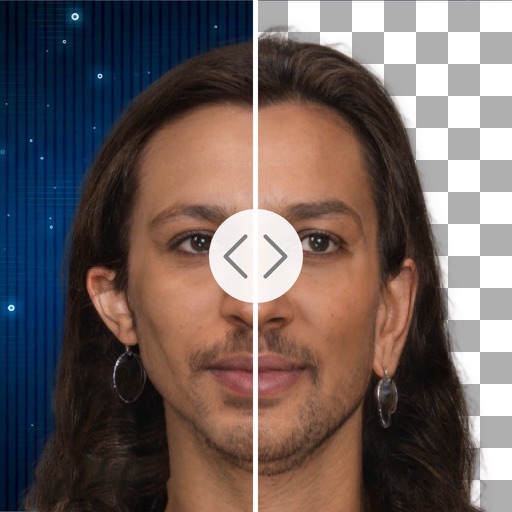
Remove backgrounds with a single tap. Replace with 800+ virtual templates. Export as transparent MP4 with alpha channel. Adjust resolution to 16:9 or 9:16. Position and scale the top layer transparent .
Videos in multiple formats including MP4, MKV, and MOV. Supports H264, VP8, VP9 codecs and audio formats like MP3 and AAC. Stream media files from Google Drive, Dropbox, Box, and OneDrive. Download subtitles in SRT format on the fly.
Play videos in various formats without conversion. Support downloading files to the device. Browse SAMBA/FTP/UPnP/DLNA shares over the network. Adjust playback settings and manage media library.
Play videos in high definition across all popular formats. Edit videos with trimming, splitting, and effects. Extract audio from videos. Convert videos between formats. Manage media library and share files directly.
Videos from major streaming sites to your TV. Browse the web and stream web videos directly. Manage files on your iOS device, store them offline, and transfer to a computer. Use iTunes File Sharing to copy videos into the .