The app is a vector illustration application for iPhone, iPod Touch, and iPad. It supports paths, text, images, groups, masks, and gradient fills with an unlimited number of layers.
by Top Apps Inc.★ 4.04 ratingsPhoto & VideoFreeData updated 2026-11-12
Record and replay sessions with voiceover and drawings. Create video presentations for athlete . Access sessions across devices via web browser. Share clips directly with team members. Track progress and analyze footage.
PDF files to editable DWG format with high clarity. Edit lines, arcs, and text directly. Supports polylines, splines, and images. Export as DWG for use in . Remove or adjust elements as in native drawings.
Securely store and manage private data such as photos, videos, documents, IDs, and credit cards. Lock content with PIN, Face ID, or Touch ID. Encrypt files and set access restrictions. Organize items into folders and manage security settings.
Convert photos to and with one tap. Apply various monochrome filters for different styles. Adjust brightness, contrast, and grain. Crop and resize images. Save and share edited photos directly.
Create and edit drawings with a variety of colors and brushes. Sketch freely and refine details. Save, share, and publish artwork. Include step-by-step process for each drawing. Export in multiple formats and share directly.
The app provides 2D vector drawing and design capabilities for Mac, iPad, and iPhone. It offers full feature compatibility and automatic iCloud sync between devices.
The app is a cross-platform note-taking application and PDF annotation tool. It allows users to sketch ideas, take notes, and annotate imported PDF documents with various pens and ink styles.
Take handwritten notes with customizable pens, including Chinese-specific tools like a fountain pen and laser pointer. Create and organize notes in a whiteboard, notebook, PDF, mind map, or flashcards format. Sync and share notes across devices.
Study cards with adaptive quiz ordering based on performance and active learning. Take quizzes in multiple formats including spelling, multiple choice, and typing. Customize quiz settings for question count, card side, and order.
Add tattoos to photos using pre-designed elements like lines, lettering, hieroglyphs, animals, and flowers. Customize tattoos with editing tools to adjust size, position, and style. Create tattoos from personal images and export edited photos.
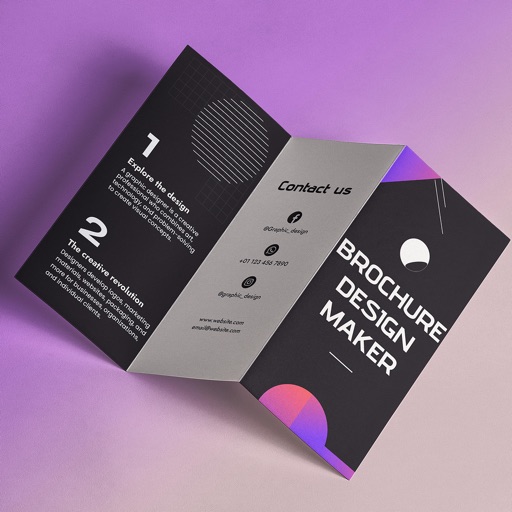
Create brochures by selecting from 2500+ templates across industries like business, travel, and education. Edit layouts, add text, images, and graphics. Export as PDF or print directly. Save and share designs.
Draw on videos in your library or live camera feeds. Use smart shuttle control to erase drawings while scrubbing. Customize toolbar with colors and pen styles. Add laser pointer and sparkle wand. Record as full or transparent layer.
Hide and using a secure vault. Access hidden media through the interface. Set passwords or biometric locks to prevent unauthorized access. Protect sensitive files from being viewed by others.
The app uses SVG as its native file format, allowing users to utilize files in other applications. It features a powerful Bezier path edit system and an embedded gradient editor for objects.