The app transforms scenery photos into pictures of toys using tilt shift photography. Users can select filters and adjust intensity by swiping or using arrow keys.
by Thye Chean Lim★ 3.36 ratingsPhoto & Video$0.99Data updated 2026-11-12
Edit photos with filters, effects, and frames. Adjust brightness, contrast, and balance. Crop, rotate, and straighten images. Add text, stickers, and drawings. Paint on photos or blank paper. Apply splash and tilt shift effects.
The app allows users to blend two photos for a double exposure effect. It offers five artistic photo collections and various real-time blend modes for improvisation.
Create custom designs with photos using templates, fonts, filters, frames, and hand-crafted stickers. Organize and save moments. Share edited photos directly.
Edit photos adjustable temperature, tint, and exposure settings. Use texture blending tools and apply effects. Add stickers opacity and shadow control, and include text 3D effects and multiple fonts. Crop, rotate, and straighten images.
Adjust intensity and direction to shape mood and depth. Add glow, rays, and atmospheric color. Refine shadows and highlights with precision tools. Export edited photos in high quality.
Edit photos with effects, , and . Add creative overlays and stickers. Adjust brightness, contrast, and saturation. Crop and rotate images. Share edited photos directly to social media.
Turn photos into cartoons with AI-powered filters. Apply effects, add toon backgrounds, and combine drip effects. Edit layouts and create anime-style avatars. Share edited images on social media platforms like Instagram, Facebook, and TikTok.
The app offers different photographing themes including Portrait, Scenery, Food, Night, and Still Objects. It automatically selects matched filters for user photos based on the chosen theme.
Create collages, cards, and albums using photos. Select from hundreds of templates and customizable grids. Add backgrounds, frames, and text. Edit images with cropping, filters, and adjustments. Share finished projects directly.
The app offers tools to enhance photos, remove blemishes, and apply various effects. Users can combine photos into collages, add stickers and frames, and adjust image properties like brightness and contrast.
Edit photos by applying textured overlays and effects. Choose from a variety of artistic filters and textures. Save and share edited images directly. View user-generated examples on Instagram.
Edit photos by flipping, rotating, cropping, and applying filters. Use AI to suggest optimal filters. Flip images live during camera use. Batch edit multiple photos and save directly to the library.
Create professional-quality graphics by adding overlays, fonts, backgrounds, and filters to photos. Edit images with cropping and adjustments. Share designs directly to social media platforms.
Create photos with customizable . Select from options. Add photos from gallery or capture new ones. Apply filters for enhanced appearance. Include stickers or emojis. Save and share edited images.
The app automatically detects teeth for whitening and retouching photos. It offers tools to adjust smile appearance and lip shape, along with an object remover and photo filters.
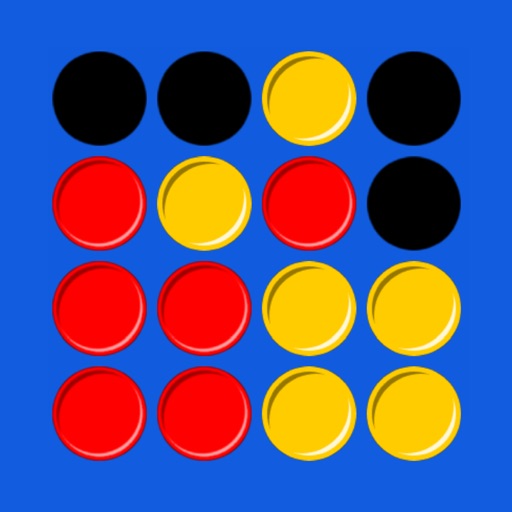
Play a turn-based strategy where players drop discs to form lines of four. Choose colors, compete against AI or another player. Track scores and replay previous games. Share high scores with friends.
Edit photos with filters, stickers, and effects. Add text and adjust brightness. Save and share directly. Select from a gallery or take new photos. Includes birthday, wedding, and vacation themes.
Take photos with analog-style cameras featuring filters and film grain. Adjust exposure, focus, and white balance manually. Share images directly to social media or save to the roll.