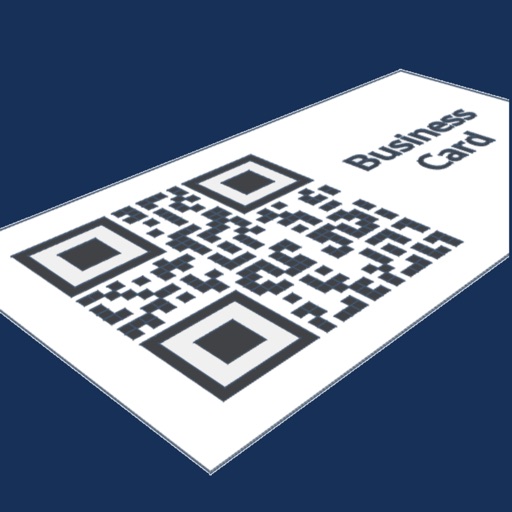
Create and customize business cards with multiple color options. Share contact info via vCard, text, email, Bluetooth, or QR code. Automatically sync contacts to devices and computers. Generate QR codes for easy access.
by Elixir Software Group, Inc★ 4.217 ratingsBusinessFreeData updated 2026-09-09
The app allows users to manage personal or business accounts, view balances, deposit checks, transfer funds, and pay bills. Users can also send money with Zelle®, manage debit cards, and locate branches and ATMs.
Share business card details digitally by filling in contact information once. nd share QR codes to add contacts directly. Sync with Apple Wallet for easy access and storage.
Art Recall allows users to view real-time maps of nearby professionals and contacts. They can create and promote events, manage interactions, and exchange digital business cards via QR codes.
QR, Aztec, and Code types to extract text, vCard, email, SMS, hyperlinks, and geo locations. Open links or share codes directly. Batch multiple codes consecutively. Save history for future reference. and share custom codes.
Create and customize cards with personal details, colors, and logos. Share contact info via QR code. Recipients instantly receive your information upon scanning.
The app offers account access for personal and business use. Users can check balances, transfer funds, view history, make payments, deposit checks, pay bills, and apply for loans.
Manage by updating existing entries and discovering new ones in Google and Microsoft inboxes. Clean up duplicate and scan business cards to save as new . Organize professional relationships and maintain contact information efficiently.
Scan QR codes and barcodes to access menus, product details, and online content. Create custom codes to share information or promote products. View details and edit generated codes. Share scanned content via social media or email.
Create and customize cards with contact information. Share them unlimited times across platforms. Integrate with Apple Wallet for easy access and storage. Edit details, add logos, and export in multiple formats.
Capture leads by scanning business cards with an AI-powered scanner. Create and share digital business cards. Take notes and tag leads. Automate follow-up campaigns. Sync with CRM systems like Salesforce or HubSpot.
Share contact information via NFC to save in a phone's address book. Include social media links and location details. Update contact information anytime without reprinting physical cards.
Enter details to generate a QR code for sharing. Convert information into scannable codes. Switch between modern and legacy QR formats for compatibility. Export and share QR codes directly.
Scan QR codes and barcodes including UPC, Code39, EAN13, EAN8, Code93, Code128, PDF417, Aztec, and ITF14. Use scan with autofocus or photo scan to read codes from images. Generate QR codes and barcodes. Activate flashlight during scanning.
The app allows users to manage contacts and groups, send mass texts and group emails, and view contact information. It offers features for sharing, printing, backing up, and receiving birthday notifications.
The app detects 2D codes like QR Codes, BeeTagg Codes, and Datamatrix. It also detects 1D codes such as EAN-13 and UPC-A, and supports QR code contents including vCard, MeCard, Text, SMS, eMail, Geo, and Event.
Scan business cards to digitize contact information. Add details to iPhone's Address Book. Organize and manage stored cards. Share cards via AirDrop. Edit and view card details within the .
And restore directly from your phone without a computer. Email files as VCard attachments. Manage by sending backups to yourself via email. No cloud sync required.
And transfer using VCF and CSV formats. Export contact lists, remove duplicates, and recover lost entries. Sync between devices and share files via email or cloud services.
Scan QR codes or vCards to retrieve visitor contact information. Manually enter contact details. Save contacts locally and synchronize with a remote server.