Apps Like Photo Collage Maker & Printer for iPhone and iPad
Create collages in custom sizes
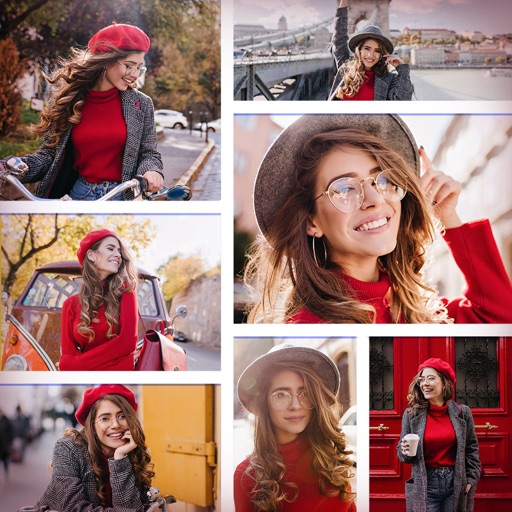
Create collages in custom sizes. Choose from 300 layouts. Place images manually or automatically. Export for video, social media, or printing. Set dimensions for specific paper sizes. Share or save collages directly.
by Vitalij Schaefer★ 4.73,036 ratingsPhoto & VideoFreeData updated 2026-09-09
The app allows users to create custom collage layouts with multiple images or choose from premade layouts. Users can add text in straight lines or curved around shapes, and use selected images as backgrounds for other images.
Add to and videos with customizable fonts, sizes, and colors. Adjust shadow and background. Apply curved, bent, or gradient effects. Choose from 20,000+ background images. Trim videos and add to video clips.
Create collages by combining multiple photos and videos. Choose from , poster, or editor modes. Adjust layouts, add effects, and stitch content together. Edit images with filters, cropping, and text overlays.
Create collages by adding photos and selecting aspect ratios. Choose landscape or portrait orientation. Add text to the collage. Shuffle for new layouts. Adjust design elements for customized results.
Create collages using photos with customizable layouts, frames, and borders. Use AR technology to place collages in rooms or on surfaces. Scan environments to position collages and record videos with family members.
Design recommendations and collages with customizable layouts and text. Add covers from a large library without searching online. Share creations directly to social media platforms.
Create collages by adding personal photos and selecting from various product options. Share directly to groups or save to personalized albums. Use over 1000 available stickers. Upload and share photos instantly.
Create collages by arranging and editing images. Crop and resize photos, add text, and adjust layouts. Make 3D rotating videos, set backgrounds, add text, edit audio, and reuse clips. Share finished projects directly.
The app transforms selected photos into creative collages. Users can arrange photos on a canvas, adjust layouts, and customize individual pictures by moving or zooming.
Create collage videos with 50+ layouts. Customize grid ratios, background colors, and border settings. Add text, music, stickers, and filters. Drag and arrange media on a timeline. Apply special effects and adjust layouts for final edits.