Take portraits and selfies with visualization. Capture and receive based on biofeedback analysis. First session is free. Subscribers can track changes daily and create an auric photo journal. Share sessions on Instagram.
Store photos, videos, and documents in a secure drive with 20 GB free space. Encrypt files using military-grade encryption. Save multiple copies of each file for reliability. Upload and access files from any device.
Create custom from phone photos. Print images on lightweight tempered tiles. Display on walls without nails or tools. Choose 8x8-inch size for home décor. Share memories as durable, customizable wall art.
Edit photos with finger-tracing and mosaic effects. Apply multiple layers of and mosaic styles. Crop processed images to custom sizes. Export edited photos in various formats.
Upload artwork to generate mockups in interior design settings. Customize colors, frames, and layouts. Share mockups to Instagram, Etsy, and other social media platforms.
Create collages by combining photos and templates. Add text, stickers, and frames. Choose from various styles and themes. Share finished collages on social media or via email. Edit images with basic tools like cropping and brightness adjustment.
Take multiple photos with customizable delays ranging from 3 to 60 seconds. Use countdown audio for timing. Choose multiple snap options. Control flash settings. Preview photos and share to social media. Save images directly to the gallery.
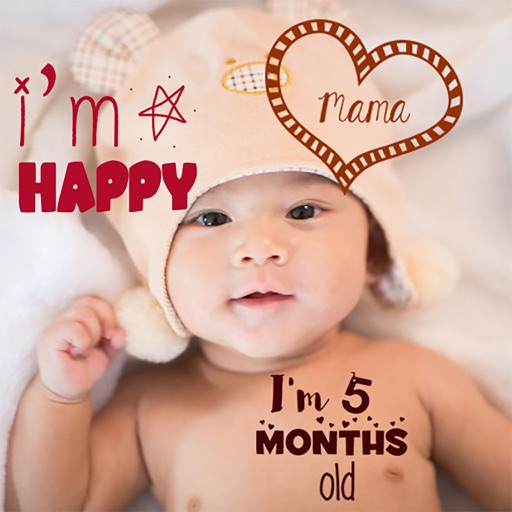
Create stories for pregnancy and milestones using professional stickers and fonts. Add text and -themed stickers. Edit photos with artistic styles. Share and save stories in albums.
Create funny movies by applying face changers, effects, and voice modifiers. Record videos of friends or pets and add humorous transformations. Share finished videos with others.
Faces, generate AI avatars, transform photos, animate
Create and edit images and videos using AI-powered swapping, avatar generation, age and gender transformation, and animation tools. Apply AI-generated filters. Upload selfies to generate custom avatars and animated content.
Capture photos and videos with manual controls for ISO, shutter speed, and white balance. Shoot in RAW format for detailed editing. Apply advanced effects and instant color grading. Use professional filters to enhance visuals.
Edit photos with cartoon filters, AI-generated toon effects, and anime styles. Convert selfies into AI characters or 3D images. Adjust hair color and style with virtual salon tools. Export and share edited photos in various formats.
Upload photos or take new images to create animated videos. Select music from the 's library. Use AI to generate dancing and singing videos. Edit and share the final output.
Teachers can upload and manage student artwork projects, view school art galleries, and organize student rosters. Students can submit photos of their artwork to an online gallery.
Create videos using selected images from the gallery. Add text, transitions, and background music. Share videos directly to social media platforms. Edit photos with filters and cropping tools. Export in high resolution for playback.