Apps Like Photo Frame Editor Pro for iPhone and iPad
Collect photos into art frames.
The app allows users to collect photos into art frames. Users can choose frames, select photos from their gallery or camera, apply effects, and adjust images with zoom and rotate functions.
by Nothern Studio★ 0.00 ratingsPhoto & VideoFreeData updated 2026-11-09
Apply photo filters to create horror-themed images. Edit photos with cropping, adjustments, and effects. Add text and stickers for a creepy atmosphere. Export and share edited photos in various formats.
Edit photos by applying -themed frames from a collection. Select images from the camera or gallery. Add text to personalize messages. Share edited photos directly.
Add flower and borders to photos. Edit images with cropping and brightness adjustments. Share edited photos with friends and family. Save and view edited images in the .
Edit photos with filters, filter mix, and creative shape effects. Apply mirror and mask tools. Create photos without cropping. Design grids and add funimate effects. Share directly to Instagram.
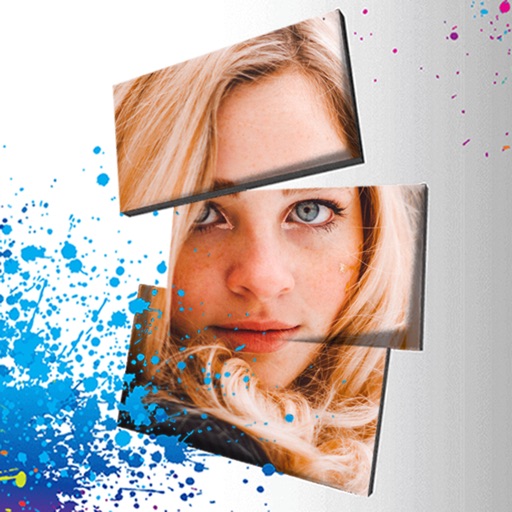
Edit photos with 3D and color effects to create立体 art. Apply special effects to enhance images. Save and share edited photos directly. Use fun and intuitive editing tools for creative customization.
Edit photos with filters, cropping, and adjustment tools. Create collages using templates, grids, and layouts. Add text, stickers, and . Share edited photos directly.
Edit photos by adding holiday with adjustable size, color, spacing, and placement. Apply holiday-themed frames and text overlays. Animate with two timers. Share 10-second videos, animated GIFs, or single-frame photos.
Apply -themed to images from the gallery or camera. Adjust frame size and position by rotating, scaling, zooming, or dragging. Choose from fifteen in various shapes and colors. Save edited photos to the device.
Create and share short videos as animated GIFs or MP4. Capture frames with the or import photos, videos, or Live Photos. Apply real-time color filters, add text or frames, and choose stop motion or video mode.
Edit photos and videos with vintage and retro styles using curated presets. Apply filters to adjust color, contrast, and tone. Use templates for minimal, paper, film, or polaroid effects. Export edited content in various formats and share directly.
Customize lockscreen and homescreen with high-resolution and frames. Rotate and select top and bottom frames. Use custom calendar designs. Apply full HD for both screens.
Apply to photos using the built-in image editor. Select from a gallery or take a new with the camera. Add to enhance images of children. Save and share edited photos directly.
Add a to enhance images with dozens of beautiful and backgrounds. Choose from various background colors and filters. Adjust contrast, brightness, color temperature, sharpening, saturation, and color balance. Add text watermarks to photos.
By selecting photos from the gallery or camera. Choose from various and adjust photos with zoom, rotate, and move features. Send customized greeting to friends and family.
Edit photos and videos to post full size content to Instagram and other platforms without cropping. Add audio, effects, frames, text, stickers, and overlays. Trim, rotate, scale, and flip media.
The app creates unlimited collages with a single tap using a SmartSorting algorithm. Users can import photos, select modes, and apply various styles, text, backgrounds, filters, and stickers.