
Apps Like Vectorworks Remote for iPhone and iPad
Connect mobile device to Vectorworks desktop.
The app connects a mobile device to Vectorworks desktop software via a remote connection plug-in. It provides presentation, visualization, and navigation remotes for viewing, navigating, and presenting designs remotely.
Vectorworks Remote screenshots
Ranked alternatives
Showing 141–160 of 1,000 ranked alternatives.

Remokuu - Smart TV Remote
Jeffery Calhoun
Connect and control your TV remotely
Control your TV or streaming device via the . Connect devices to the same WiFi network for automatic setup. Use a trackpad or traditional layout to navigate. Access all installed apps and channels directly.


Roku Remote: Universal Control
晓龙 金
Your device remotely
Streaming devices with touchpad and gesture navigation. Access TV channels, apps, and settings. Adjust volume and mute. Pair with player or TV. View and manage channel listings. Remote lock and unlock device.

Remote TV Control TCL Onn App
Catalina Ramirez
Your home entertainment remotely
Home entertainment systems with a unified interface. Manage movies, music, and games. Adjust volume and playback. Switch sources and view device status. Sync with smart devices for integrated .



ConnectWise Control
ConnectWise, Inc
Remote device access and control.
The app provides remote access and control for Windows, Mac, Linux, and mobile devices. Users can host sessions, send commands, chat, transfer files, and broadcast their screen.


DeskIn Remote Desktop
ZULER TECHNOLOGY PTE. LTD.
Control devices securely
Control devices with secure, high-performance connections. Access and manage multiple devices from iOS. Perform file transfers, run applications, and share screens. Support for Windows, macOS, and Linux systems.

Remote TV: TV Controller
MAXLABS COMPANY LIMITED
Control your TV with a smartphone
Control compatible Smart TVs and streaming services from a smartphone. Adjust volume, change channels, and navigate menus. Access favorite apps and manage playback. Enable voice commands for quick interactions.

Remote for Samsung TV: Gapster
Gorak Markovic
Control your TV with a mobile
Control TV functions like channel changing, volume adjustment, power on/off, and more. Use built-in keyboard for typing and searching. Connect via Wi-Fi for operation.

WiFi Mouse(keyboard trackpad)
士猛 王
Control computer with phone wirelessly.
The app turns a phone into a wireless mouse, keyboard, and trackpad for a computer. It allows control of a PC, Mac, or Linux device over a local network connection, offering features like remote media control and file browsing.

Universal TV Remote Control ►
AlgoTwist Ltd
Multiple TVs from one
Smart TVs with a single . Navigate menus, adjust volume, switch inputs, launch apps, and type using a phone keyboard. Manage multiple TVs from one interface. Requires same Wi-Fi network for connection. Supports LG and other major TV brands.
All TV Remote Control APP
Naik Ur Rehman
Any TV with your device
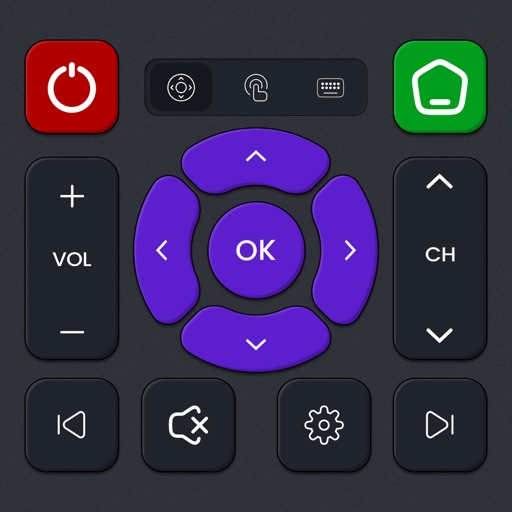
TV volume, channels, and playback from a smartphone or tablet. Adjust brightness and contrast. Navigate menus and access settings. Pair with multiple devices and manage playback functions.

Proclaim Remote
Faithlife Corporation
Control on-air presentations remotely
Control On-Air presentations by pausing, playing, or following along. View notes during presentations. Preview slides and video service items. Cast content to TV or projector via AirPlay/Chromecast. Sync with desktop for real-time access.



How we rank alternatives
Apps are ranked by functional similarity, category fit, rating confidence, and popularity.