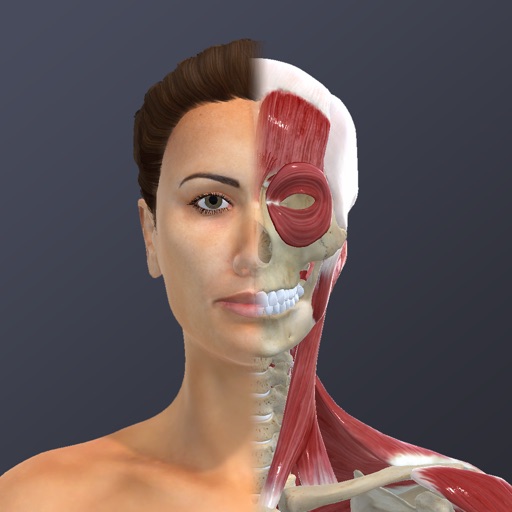
Explore 3D human models with interactive touchscreen navigation. Rotate, zoom, and view over 40 anatomical poses. Access clear definitions and labels for accurate learning. Share anatomical views for educational or medical communication.
by Eddie Quah★ 4.54 ratingsMedicalFreeData updated 2026-09-09
Quizzes allows users to study through multiple-choice quizzes. Topics include head and neck, back and spinal cord, thorax, abdomen, pelvis and perineum, upper limb, and lower limb.
The app provides snack-sized chapters and bite-sized flashcards for learning Biology and Human Body Anatomy. Simple quizzes allow for self-assessment of key concepts.
Explore detailed 3D anatomical models of the human body. Rotate, zoom, and dissect virtual organs. Access interactive tutorials and quizzes. Annotate and save notes. Share models with colleagues or students. Export 3D views for presentations.
Learn about the skeletal and muscular systems through animated videos. Identify organs and locate them within the body. Understand their functions and how they work together. Explore detailed explanations of each system's structure and role.
Study lower extremity anatomy with high-resolution diagrams and interactive features. Hide or show text on diagrams for self-study. Access quick links to related views. Take quizzes to test knowledge and reinforce learning.
Learn anatomy through x-ray, CT, MRI, and ultrasound images. Identify normal structures and common pathologies. Practice clinical reasoning and test imaging test selection. Track progress with structured curriculum based on training.
Facial anatomy and proportions with interactive 3D models. Rotate and zoom to examine skull structure and planar forms. Compare simplified shapes to understand underlying anatomy for portrait drawing and painting.
Vocabulary through CEFR-aligned wordlists and topic-based categories. Practice grammar with interactive exercises. Track progress with personalized learning paths and set daily study goals. Export notes and review materials offline.
Plan surgeries, calculate capacity, stage cancer, view
Capacity can be assessed using interactive tools. Cancer staging includes detailed descriptions and illustrations. 3D viewer allows hiding and showing structures. Tumors can be placed interactively in models. Anatomical illustrations are provided.
Medical for preoperative planning allows surgeons to adjust implant positions and orientations on 3D and 2D scapula models. Users can modify protocol-based plans created by technicians.