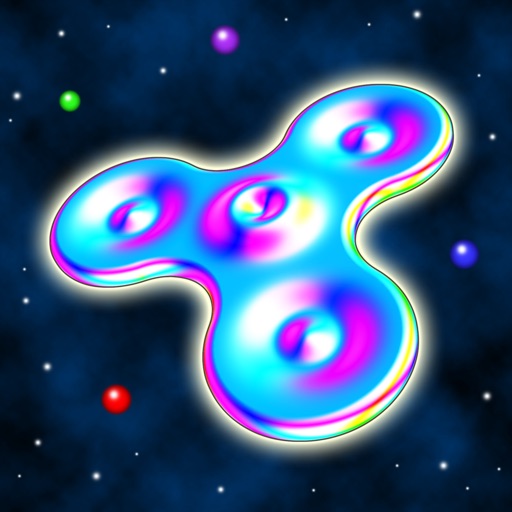
The app allows users to draw and play in 3D using various shapes, animations, and colors. Physics simulation and effects can be enabled for additional enjoyment, and users can export images and videos of their creations.
by Pierre Abel★ 4.431 ratingsEntertainmentFreeData updated 2026-11-09
A game allows offline art creation without ads. Users can color and draw princesses, unicorns, and animals. Features include animated elements that react to color, confetti effects, and a sketchbook interface for creative sessions.
Learn letters, numbers, shapes, and colors through interactive . Complete challenges to unlock new levels. Track progress with achievement badges. Access monthly updates and new for continued .
Tap animals to hear sounds and see movements. Learn shapes, colors, numbers, and letters through interactive play. Explore farm and zoo environments. Complete simple tasks to reinforce learning concepts. Share progress with parents or teachers.
The app allows users to create stickfigure-based movies and export them as animated videos. Users can import and animate images, add sound effects, and apply different filters to stickfigures.
Edit videos with effects to color, animate, enhance, warp, combine, and re-time clips. Add music, text, and stickers. Export in various formats and share directly.
Create artwork using vibrant neon colors and glowing brushes. Draw on a large canvas with sketch tools. Adjust effects and export designs in various formats.
Create animations using a drawing interface with tools for sketching and refining artwork. Import images or draw frames manually. Export animations as GIFs or videos. Share creations directly from the .
Explore an open with survival and creative modes. Build and chat with others. Discover mini 3D worlds created by players. Craft items and build structures using various recipes. Play solo or online.
The app develops a child's creativity by allowing them to draw with colors and create music. It helps children perceive links between color, sound, and shape, offering a unique sensorial experience.
Create art by following numbered grids. Choose from pre-designed images or generate custom designs using AI. Adjust colors and save projects. Share artwork directly or export in various formats.
The app provides a drawing tool for users to create illustrations. Users can share their creations via email, save them to a photo album, or send them as illustrated tweets.
Draw on whiteboard, blank canvas, or images using pen, line, arrow, and shape tools. Edit photos with filters, adjustments, effects, and crop options. Customize tool size and transparency. Add text, stickers, and emotions.
Characters, objects, and animals through step-by-step tutorials. Choose from various art styles including doodles and detailed illustrations. Compete in multiplayer battles. Save and share creations. Adjust brush settings and color palettes.
Play, learn, and explore with interactive animations
Play interactive game with animated visuals and sounds. Tap to activate effects. Use child to restrict access. Track progress and development milestones. Encourage hand-to-eye coordination and cognitive skills.
Develop essential skills with interactive that teach ABCs, numbers, shapes, colors, and animals. Activities focus on fine motor skills and hand-eye coordination. Includes educational content for toddlers.
Take notes with customizable ink styles and pressure-sensitive strokes. Choose from various pen tools and colors. Record and sync audio with writing. Draw precise shapes and lines. Share notes directly.
Create glowing designs by drawing with your . Spin creations to watch them rotate. Customize colors and patterns. Save and share artwork. Explore calming, interactive art experiences.
Create art by connecting lines to form shapes. Drag lines to points and avoid overlaps. Nails are fixed in place. Play offline without time limits or penalties. Suitable for all ages.