Apps Like Music Lesson NotePad for iPhone and iPad
Record highlights and organize notes
Record and organize multimedia notes including audio, video, text, graphics, and symbols. Link notes to specific scores for contextual reference. Add textual remarks, cues, and symbols. Export and share notes directly.
by Igor Borodin★ 5.03 ratingsEducationFreeData updated 2026-09-09
The app provides over 2.73 million classical music recordings from a thousand labels. It includes detailed metadata such as composer biographies and programme notes, authored by musicologists.
The app allows users to draw musical notation directly onto a score using touch gestures. It offers playback with 30 instrument voices and supports various musical symbols and expressions.
Learn music with animated on staff notation, clefs, note and rest durations, time signatures, and interval identification. Track scale degrees, key signatures, and interval inversions.
Teach children basic arithmetic with addition and subtraction exercises. pages featuring characters and symbols. Complete colorings to reveal festive images. Track progress through interactive activities.
Convert spoken words into structured notes with voice-to-text transcription. Create meeting summaries and study materials using AI -taking. Organize information with an intelligent that links related content and suggests insights.
Access digital books, audiobooks, and resources through the Reader. Bookmark pages, take notes, and highlight text. Search within books and access citations. Use Merriam-Webster™ dictionary for definitions. Customize text size and font.
The app helps users learn to sight-read sheet music with configurable flash card exercises. Users can identify notes by sight or sound, with support for various clefs and key signatures.
Teachers create lessons with demonstration videos, set goals, and add lesson notes. Students watch video examples, track progress on a leaderboard, earn in- prizes, and receive customizable in-studio rewards.
Images using customizable tools and colors, save creations to your photo library. Write notes as images and store them. Edit photos basic tools and save results.
Record audio during meetings or lectures and convert it to text automatically. Edit, organize, and highlight notes. Share notes with others or export in various formats. Set reminders and sync across devices.
Record video with phone camera to transcribe audio. Adjust pitch and speed of audio files. Loop sections for practice. Transcribe audio or video content. Export transcribed text. Share files directly.
Create loops by repeating played notes until they fade out. Adjust loop length and pitch. Layer multiple loops to build complex textures. Tap to start or stop playback. Save and share custom loops.
The app provides a simple sticky notebook with a clean interface. It allows users to create, delete, and edit notes with various options and colors, keeping them handy in the cloud with multiple device support.
Convert files to and play them simultaneously. Highlight piano notes and in real time. Adjust playback speed. Access over 50 classical piano pieces by Beethoven, Mozart, and Chopin. Import custom files from the internet.
Improve speed with timer-based or word count sessions. Practice structured lessons for home row, top row, bottom row, symbols, and numbers. Track accuracy, WPM, and high scores. Upgrade to Pro for custom text, challenges, and advanced stats.
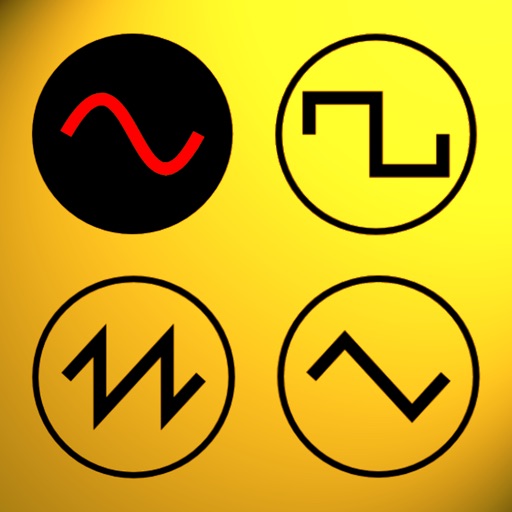
Udio tones with customizable frequency settings from 15Hz to 22KHz. Choose between sine, square, sawtooth, and triangle waveforms. Create and save custom presets. Control playback from notification drawer, lock screen, or headset buttons.