Edit photos with cropping, filters, and color adjustments. Add text, stickers, and effects. Save and share edited images directly. Import photos from device storage. Adjust brightness, contrast, and saturation. Export in various image formats.
Convert images to vintage color palettes of old computers like IBM PC, Apple II, or Game Boy. Apply dithering methods including Floyd-Steinberg, Atkinson, and Bayer. Share edited images with others.
Record high-resolution video in multiple aspect ratios and frame rates. Adjust focus, exposure, tint, and temperature with swipe gestures. Create and save custom aspect ratios. Crop media or optimize for Instagram using color-based mattes.
Photos with a variety of filters including Normal, Linear, Vignette, Instant, Process, Transfer, Chrome, Fade, Curve, Tonal, Noir, Mono, and Invert. Adjust lighting, chromatic aberration, and blackout settings.
Edit photos by adding random sparkling shapes. Choose from seven patterns and adjust size, angle, brightness, and spacing. Apply effects directly to images for a sparkling appearance.
Hide photos, videos, documents, notes, and contacts behind a interface. Access albums via password entry. Import media from camera roll, create custom albums, view slideshow, and use full-screen viewer. Transfer files over Wi-Fi to PC or Mac.
The iPhone for self-viewing with 4x zoom and horizontal slide zoom. Adjust brightness and toggle night mode for dark environments. Check hairstyles and switch to white design or change icons.
Display a full-screen analog with customizable dial, index, and hands. Choose from 6 standard face types or purchase additional options. Select from 6 index styles including Roman numerals and triangle designs.
Resize and crop photos in batches, adjust dimensions, rotate, or delete multiple images at once. Save edited photos to camera roll, email, or Dropbox. Customize resize settings and export to a working directory without altering original files.
Allows users to import scripts and control text scrolling speed. Features include adjustable text settings, video recording with scrolling text overlay, and customizable effects for presentations or social media content.
Edit photos using professionally crafted Lightroom . Apply filters, adjust colors, and enhance images for social media. Save and organize . Export edited photos for Instagram and other platforms.
Convert units for length, weight, volume, temperature,
Convert units for length, weight, width, volume, velocity, temperature, and pressure. Select the desired and perform conversions. Use tabs to switch between categories. Input values and receive converted results.
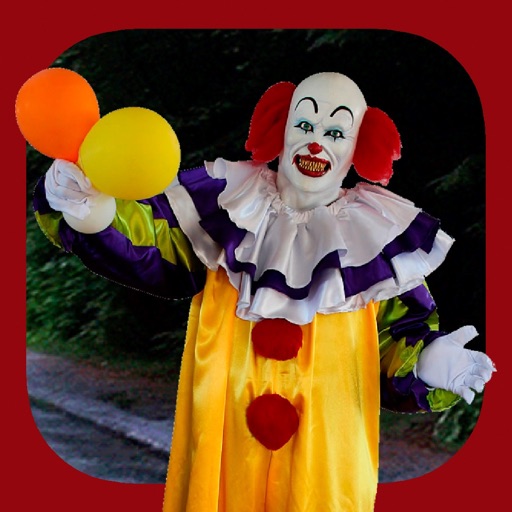
Add clown to photos for a scary effect. Choose from available , position them, and change background to black or white. Edit images using built-in tools and save or share the modified photos.
Browse and organize photos by products and collections. Search for images using the search bar. Crop photos to fit social media requirements. Save images to your device or share directly to social media platforms.