Apps Like Photo Frames - Virtual Glam Up for iPhone and iPad
Integrate pictures with chosen frames.
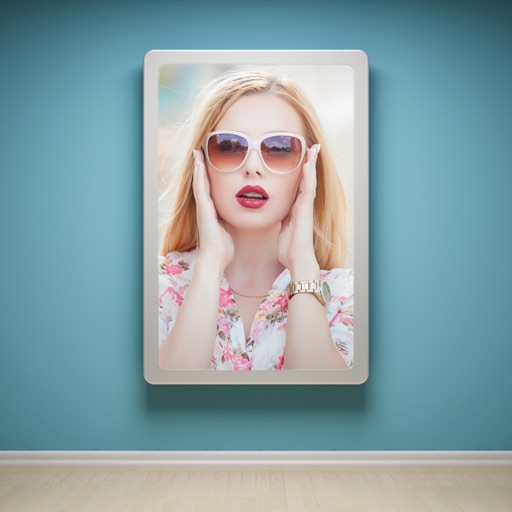
The app allows users to enhance photos with frames, effects, and text. Users can capture new photos or select existing ones from their gallery to integrate with chosen frames.
by Jyoti Yadav★ 1.01 ratingsPhoto & VideoFreeData updated 2026-11-06
Save photos from videos by playing in real-time, slow, or ultra slow motion. Pause and select frames to capture moments. Share photos via Facebook, Instagram, Twitter, and email. Free version includes watermarked shares.
Edit photos with effects, filters, and customizable stickers. Blend images and add 3D or overlays. Crop photos and draw on them. Apply frames and borders. Use a custom camera to capture and enhance images.
Combine photos into framed and captioned layouts. Add text and filters to enhance visuals. Share directly to Instagram. Arrange images with creative and decorative effects.
Allows users to apply effects to backgrounds. Select images from the gallery or capture new photos. Use multiple blurring tools to adjust the effect. Export edited images directly.
Apply frames to images. Adjust frames to fit photos. Edit images with special effects. Save and share edited photos. Switch between different frames easily.
Edit photos by selecting from the gallery or capturing new ones. Apply various and effects. Adjust position, size, and angle. Save, share, or upload to social media platforms like Facebook, Twitter, and email.
The app offers tools for photo editing, including auto enhance, meme generation, stickers, frames, and text. Users can adjust color balance, saturation, and sharpness, and crop or rotate images.
Edit photos and videos with move, rotate, scale, flip, and custom adjustments. Apply unique filters, effects, borders, and frames. Add text and stickers. Share full-size content directly to and other social platforms without cropping.
Select a from the gallery. Apply -themed including roses, daisies, sunflowers, and tulips. Add decorative elements to special photos of loved ones, children, or pets. Share edited images directly with family and friends.
Create -style covers with photo frames and effects. Add text, stickers, and quotes to photos. Choose from various templates and styles. Edit images with filters and typography tools. Share finished designs directly.
Create GIFs and videos from Live . Trim, reverse, adjust speed, and resize GIFs. Share via iMessage, Facebook Messenger, Twitter, Slack, Tumblr, and more. Select single frames for animation. Edit with 3D Touch support.
The app organizes photos into frames using 16 templates. Users can edit and stylize frames, and place multiple photos within a single frame before sharing.
Edit photos with multiple props, frames, and effects. Apply presets and overlays. Capture photos in portrait, landscape, or square orientation. Share images directly to social media. Supports iPad, iPhone, and iPod Touch.
Create holiday e-cards by selecting from 40+ photo frame templates. Choose a photo from the gallery or camera. Apply effects to personalize cards. Save and share finished designs.
Edit photos with high-quality and adjust settings for optimal resolution. Select images from the library or capture new ones. Apply stylish themes and save edited photos directly to the device.
Edit photos by selecting from the gallery or capturing with the camera. Apply various and effects. Adjust position, size, and angle. Save, share, or upload images to social media platforms like Facebook, Twitter, and email.
Enhance photos with Hi-Def, Scenery, Food, Portrait, and Night modes. Apply over 100 free and purchasable filters. Add stickers, frames, and overlays. Touch up selfies with redey tool. Share edited photos directly.