The app provides five Armenian keyboards for iOS, supporting Western and Eastern Armenian with a unified phonetic layout. It includes gesture typing, text navigation, and mathematical calculations, with multiple themes available for each layout.
by Vatche Sahakian★ 5.01 ratingsUtilitiesFreeData updated 2026-11-06
Create structured with multi-level document management and color tags for quick highlights. Add password protection for secure notes. Sync across Mac, iPhone, and iPad using iCloud. Share documents and use intuitive gestures for editing.
Create customizable on-screen keyboards using plain text. Add language or dialect support. Design layouts for workflow optimization. Include fancy characters and Unicode symbols. Export and import configurations.
Calculate sales tax and discounts with percentage-based equations. View calculation history for reuse. Adjust tax settings via swipe. Customize rounding preferences. Choose from multiple color themes. Perform basic arithmetic operations.
The app allows users to enter and modify formulas while checking them, preventing errors. It provides a history of formulas and answers, supporting various number systems and memory functions for calculations.
The app offers a Drivers License exam simulator and learning mode. It includes Georgian Road Signs and Laws, with support for Georgian, English, Russian, Turkish, Azerbaijani, and Armenian languages.
Save frequently used text snippets and passwords with a dedicated . Quickly switch to the to insert saved phrases. Supports social media platforms like TikTok and Snapchat for quick text input.
Control your TV or streaming device via the . Connect devices to the same WiFi network for automatic setup. Use a trackpad or traditional layout to navigate. Access all installed apps and channels directly.
Allows users to navigate the using gestures. right to access customisable QuickTexts. left to view emojis, including a most-used section for quick access. The standalone lets users add or modify QuickTexts and set ten function keys.
Write on PDFs, create notebooks with customizable templates, sketch notes on a large freeform canvas, and take notes on vertically extended pages. Organize content across different document types and layouts.
Transliterate text into runes based on phonetic sound. Learn rune pronunciation and explore alphabets. Supports Elder Futhark, Swedish-Norwegian Fuþąrk, and Danish Fuþąrk. Enable system keyboard for typing runes in other apps.
Type in using a dedicated layout. Translate text between and English. Switch between languages seamlessly. Access grammar and spelling suggestions. Share translated text via copy-paste or direct links.
Keep track of scores with intuitive gestures. Swipe to score points quickly or tap to add individual points. View a mirrored layout for both players. Adjust scoring settings and save game progress.
Learn to type on iPad, iPhone, or iPod Touch with structured lessons. Practice with free tests and sample lessons. Unlock full content with a one-time in- purchase. Track progress and improve speed through advanced lessons.
Perform calculations with a customizable interface and live results. Define and share advanced functions. Use 3D Touch shortcuts and an expandable widget. Search history via Spotlight.
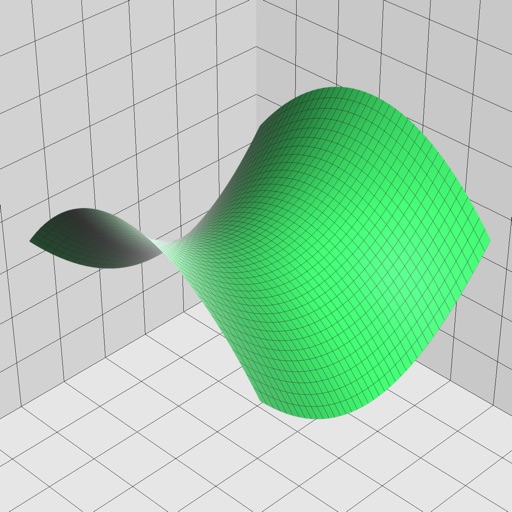
Enter and edit equations in mathematical notation. Visualize 2D and 3D graphs of explicit, implicit, and inequality equations. Adjust settings for display and analysis. Save and share calculations.