The app records smooth, high-resolution videos with support for three record resolutions. It automatically resumes recording after interruptions and stores videos within the application.
by Hung-Yao Chen★ 5.01 ratingsTravelFreeData updated 2026-11-05
Record screen activity with audio capture and video export options. Save recordings to device storage or cloud services. Adjust recording settings for resolution and quality. Share files via email, messaging, or social media platforms.
The app records web screens, videos, and audio, syncing them to cloud storage. It offers video and audio editing tools, including merging, trimming, and cutting clips, with options to add background music and voiceovers.
The app offers tools to enhance photos, remove blemishes, and apply various effects. Users can combine photos into collages, add stickers and frames, and adjust image properties like brightness and contrast.
Allows users to record screen activity, save web pages as PDF, images, or video. It supports JavaScript and Tampermonkey scripts, document scanning, file downloads, and multiple tabs. It includes a built-in video player and blocks ads.
Record notes in MP3, WAV, and M4A formats. Convert audio to text with AI transcription. Generate meeting minutes, class notes, and summaries. Save and organize recorded files. Edit and share transcribed content.
Content with high-quality capture. Overlay additional clips for dual-view or reaction content. Layer audio tracks for enhanced sound. Edit and export final videos directly.
Record and edit videos with capture, face cam, and audio. Save recordings without watermarks or ads. Share videos across devices. Access advanced editing tools with a paid subscription.
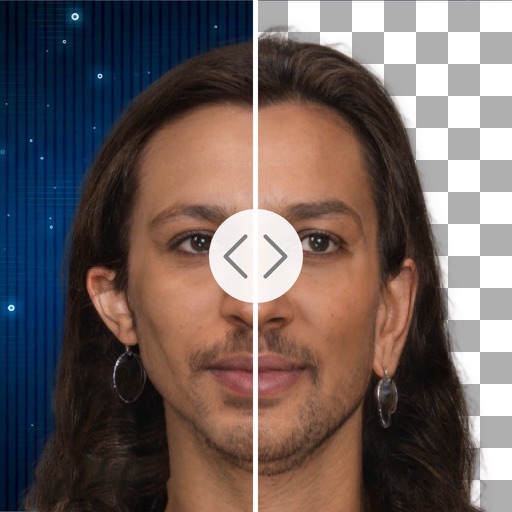
Remove backgrounds with a single tap. Replace with 800+ virtual templates. Export as transparent MP4 with alpha channel. Adjust resolution to 16:9 or 9:16. Position and scale the top layer transparent .
Record videos of games, apps, and videos. Capture screenshots during recordings. Stream directly to YouTube, Facebook, and Twitch. Add facial reactions and audio commentary. Edit videos using the built-in video editor.
Store and organize media with password protection and encryption. Create secure storage areas for images and videos. Use SnoopStopper™ and decoy safes to deter unauthorized access.
Record phone calls with incoming and outgoing recording features. Save and access recordings instantly. Play, pause, and manage files directly within the .
Record using both and cameras simultaneously. Capture environmental footage and personal reactions in real time. Save and share perspective videos directly.
Edit videos by automatically boosting audio levels or manually adjusting sound. Extract or mute audio from videos. Maximize for better sound quality. Share edited videos directly. Access human customer support through the .