Apps Like How to Draw - Step by Step for iPhone and iPad
Learn to draw step by step.
The app guides children through drawing with a step-by-step process. Kids can learn to draw various subjects, then color and decorate their creations in a personal gallery.
How to Draw - Step by Step screenshots
Ranked alternatives
Showing 101–120 of 1,000 ranked alternatives.

Draw Sketch - Paint with Paper
泝诚 温
, write, and edit fun tools
Images using customizable tools and colors, save creations to your photo library. Write notes as images and store them. Edit photos basic tools and save results.

Kids Doodle Drawing Coloring Book - preschool christmas toddler games!!
App Mania LLC
Sketch, , and color freely
Create and color doodles in a fun, interactive game. Use tools to sketch characters and scenes. Choose from a variety of colors and patterns. Save and share completed drawings. Add festive holiday-themed elements for special occasions.


Light Painting and Drawing
ISMITECH COMPANY LIMITED
Paint with colors and draw freely
Create and edit drawings with over 20 colors and adjustable brush sizes. Save drawings and their creation process in a built-in gallery. Replay or resume drawings at any time. Draw on iPhone, iPad, or iPod Touch.

Draw Battle Online
MONOPOLEAPPS K.K.
And compete with global players
Create and share drawings based on random themes. Compete in real-time battles against other players. Receive AI-generated scores and climb global rankings. Improve skills through themed challenges and practice sessions.


Drawing for Kids. Painting Pad
Karaleuski Stanislau
Draw, paint, and color anytime
Create drawings and paintings using a variety of colors and brushes. Select from pre-drawn shapes and stickers. Save artwork to device storage. Share creations via social media or email.


My Sketchbook - Masterclass
DEILI DISKAVERZ, OOO
Sketch and share your artwork
Create digital artwork using drawing tools and customizable templates. Access categorized sketch ideas for different skill levels. Save and share drawings directly. Adjust brush settings and layer options for detailed artwork.

Draw Board on whiteboard pad
勇强 温
And edit images with tools and effects
On , blank canvas, or images using pen, line, arrow, and shape tools. Edit photos with filters, adjustments, effects, and cropping. Customize tool size and opacity. Add text, stickers, and emotions. Export drawings in various formats.

Drawing for kids doodle
Mustafa Aksoy
Draw characters step by step
Create drawings of characters like butterflies, rabbits, and hedgehogs by following step-by-step instructions. Save completed drawings for later. Includes a variety of illustrated characters for children to draw.
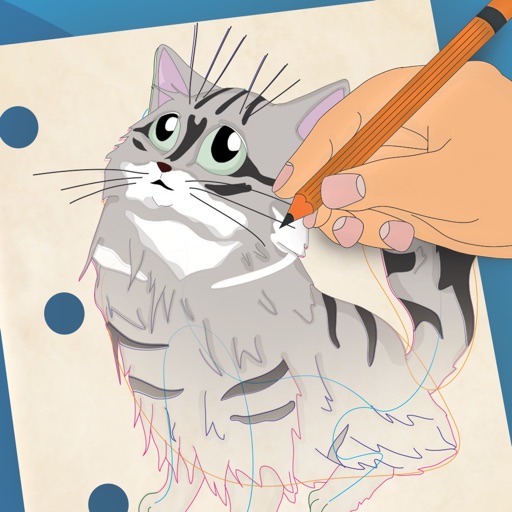
How To Draw Cats & Kittens
A2DWebs
, , and share your art
Learn to and in 8 step-by-step lessons. Choose a breed, practice drawing techniques, and create artwork anywhere. Save and share finished drawings.
Draw and Tell HD
Duck Duck Moose LLC
Draw, tell stories, and share memories.
The app offers creative drawing tools with various colors, stickers, and backgrounds. Users can create stories by recording their voice and animating stickers, then save and share their creations.

Kids Coloring Book Games
KIDOSPACE LTD
Color, paint, draw, and sketch
Create art by , painting, drawing, or sketching in a kid-friendly environment. Choose from various drawings and tools. Use brushes, paint buckets, or pencils. Experiment with colors and erase mistakes. Save or share finished artwork.
Drawer with Paint,Doodle,Draw
An Banh
Sketch, draw, and create anywhere
Sketching and doodling apps offer tools for creating and editing drawings. Users can choose between sketching, doodling, or learning through kid-friendly features. Apps include drawing pads, color tools, and interactive learning options for children.
Let's Draw - Drawing App
Shigeru Nakaya
Edit images, add text, share drawings
Edit images by on photos and adding text. Choose from 45 colors and five pen thicknesses. Use zoom editing and undo functionality. Share edited images via email, Twitter, and Facebook.

Draw with Crayon
An Banh
And share your artwork
Allows users to create drawings using realistic strokes. Users can choose colors, adjust brush sizes, and apply effects. Artwork can be saved, shared, or exported. The interface supports freehand drawing and coloring activities.

Coloring Games for Kids 2 6
Game Tunes, MChJ
Color, draw, and learn together
Binky allows children to color pages with touch and drawing tools. Features include color selection, erasing, and saving artwork. Includes 150+ themed pages to develop fine motor skills and hand-eye coordination.
How we rank alternatives
Apps are ranked by functional similarity, category fit, rating confidence, and popularity.