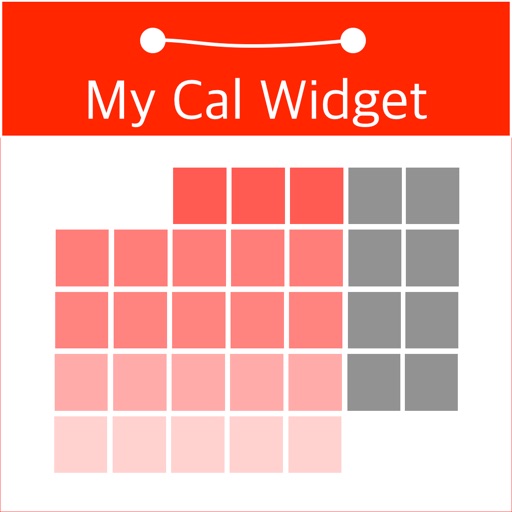
The app provides custom widgets for the device's Home screen and Today view. Users can view and edit system calendar events, add new events, and customize the widget's appearance.
by Francis Bonnin★ 3.821 ratingsProductivity$0.99Data updated 2026-11-09
Customize home screen with widgets for native iOS apps. Choose from themed templates or create custom designs. Add widgets to home screen quickly. Modify layouts and styles for personalization. Sync with iOS 14+ operating system.
Monitor level, storage usage, and network activity with on-screen widgets. View estimated usage time based on current and storage. Set alerts for low or storage. Adjust settings to customize monitoring frequency and appearance.
Store memos with customizable color options. Display screens on home screen with widgets. Edit and design widgets for personalization. No limit on entries. Share memos directly.
Customize home screen with now-playing widgets for Apple and Spotify. Display current track, artist, and album art. Tap to control playback, skip tracks, or add songs to playlists. Sync with apps for real-time updates.
Create countdowns for events like birthdays or weddings. Add customizable widgets to home screen. Build vision boards with images and notes. Track progress toward long-term goals with visual timelines. Set reminders and update countdowns manually.
Create countdowns with customizable colors, fonts, and background images. Add events to home and lock screen widgets. View countdowns at a glance with ticking timers and gradient effects.
Schedule meetings and track tasks with integration. Share availability and plan your day. Sync events and to-dos across devices. Manage invites and set reminders. Integrate with virtual conferencing tools and task managers.
Timer for event tracking with customizable date and time settings. Set repeat dates and notifications. Choose background color, image, text style, and placement. Organize events into folders. Calculate date, time, and time differences.
Track and manage by syncing calendars and contacts. View upcoming with alerts. Add a widget for quick access. Hide birthday entries from the calendar . Set custom reminders for specific .
Sync calendars, set priorities, mark reminders done
Manage calendars and reminders by syncing with phone calendars, selecting which ones to display, and setting priorities for conflicting events. Mark reminders as done on the . View next event on Siri face.
Create desktop sticky notes with customizable background and font colors. Add icons in 40 different shapes. Set notes on the desktop for reminders. Draw games and access free wallpapers.
Access contacts and initiate calls or messages directly from the lock screen or home screen. Customize widgets to open URLs or run shortcuts. Enable call without confirmation in settings. Supports FaceTime, email, messaging apps, and more.
Customize device screens with liquid themes and dynamic island support. Apply 4K with OS 26 compatibility. Add interactive widgets. Enable dynamic wallpaper updates. Switch between effects and standard themes.
Count down to custom dates representations. Set and track event reminders. Import calendar events. Customise home screen widgets. Support dark mode and universal iPad. Sync across devices via iCloud. Available on Apple Watch.
Customize home screen with widgets for displaying information. Add multiple widgets with unique styles and sizes. Adjust layouts, backgrounds, fonts, colors, and images. Use pre-made templates offline or download backgrounds online.
View countdowns for , holidays, and dates. Add, modify, or delete countdowns. Track past countdowns with days elapsed. Choose custom photos from the library or Flickr. Add countdowns to Siri for quick access.