Edit photos with depth-based bokeh effect for professional portrait blur. Restore old or damaged images with enhanced clarity. Remove unwanted objects from photos. Adjust colors, brightness, and contrast. Export edited photos in various formats.
Browse and download high-quality . Filter by categories like nature, cityscapes, and abstract. Receive a new wallpaper daily. Organize and set directly from the . Sync with iPhone settings. No additional apps required.
The app allows users to create DSLR-quality photos with blurred backgrounds and bokeh effects. It features an easy editing process with a selection tool and loupe for detail-oriented editing, and users can adjust the bokeh level.
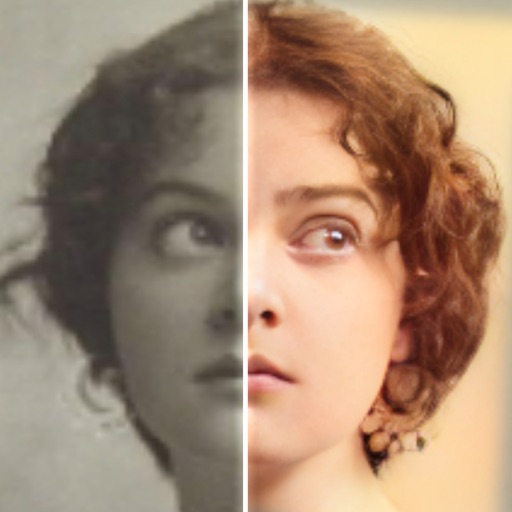
Restore old or damaged photos by removing blur, enhancing details, and correcting color. Edit images to remove unwanted elements and improve clarity. Apply AI-powered enhancements to achieve high-definition results.
Edit photos with AI filters, cartoon styles, and restoration tools. Enhance image details and convert blurry or damaged photos to HD. Apply over 200 AI templates to generate creative photos. Upload selfies to try different styles.
Edit photos with filters, light overlays, and aesthetic design elements. Crop, resize, and add borders or shapes. Create collages with multiple layout templates. Include stickers and share edited images on Instagram or Facebook.
Repair blurred or damaged to achieve clear HD quality. Enhance old with AI-powered clarity and color restoration. Adjust colors to restore lifelike tones in black-and-white images. Export enhanced in high resolution.
The app allows users to post full-size photos and videos to Instagram without cropping. Users can move, rotate, scale, and flip media, and apply filters, stickers, and text.
Edit photos with AI colorization, enhancement, and restoration. Remove scratches, tears, and blurs. Convert black and white images to high-definition . Adjust clarity and brightness. Share restored photos directly.
Detects and removes duplicate photos, blurred images, and low-quality screenshots using machine learning. Automatically frees up storage by deleting unwanted files. Cleans camera roll without manual selection.
Remove unwanted objects, text, or backgrounds from images or videos. Use finger gestures to select areas for deletion. Automatically blend removed sections with surrounding content for seamless results. Edit both static images and clips.
Photos and videos using AI to expand images, remove objects, and replace or blur backgrounds. Enhance image quality, restore old photos, and create AI-generated scenes. Share edited content directly to Instagram.
Detect and remove duplicate, similar, blurred, and large-size photos. Clean up unused videos. Monitor device hardware information to maintain system performance.
Record videos and photos from the device camera or camera roll. Arrange and trim clips. Add text titles and captions. Apply styles and transitions. Export videos in various formats and share directly.
Create AI avatars that reflect your appearance. Blend faces into creative scenes or artwork. Edit photos with advanced AI tools. Customize edits with detailed settings. Export edited images in high quality.
Helps users clean up their iPhone by identifying and removing duplicate photos, managing screenshots, and detecting blurred or overexposed images. Users can review and delete unwanted files before final removal.
The app allows users to select a photo and create a blurred frame effect instead of cropping. Users can adjust the blur and fade effects and save the modified photo to their gallery for sharing.
Remove unwanted people and blemishes from photos or videos by painting and erasing. Edit images with AI tools, add text, filters, and effects. Adjust facial features like face shape, forehead, chin, and cheeks.
Apply to photos with one tap. Choose from Gaussian or zoom styles. Adjust intensity and area of focus. Export edited images in various formats and share directly.
RAY INFORMATICS YAZILIM TEKNOLOJI MEDYA DANISMANLIK VE EGITIM TICARET LIMITED SIRKETI
Enhance, restore, and upscale photos
Edit photos with unblurring, enhancement, and upscaling tools. Restore damaged or faded images. Adjust clarity and sharpness. Save and share edited photos directly.