The app allows users to design custom business cards using a variety of tools. Users can add images, icons, and text, with options to adjust fonts, colors, and shadows.
by Giuseppe Cigala★ 0.00 ratingsProductivity$2.99Data updated 2026-11-03
Create custom grids over reference images or drawing surfaces. Set grid dimensions and adjust spacing. Transfer intricate details square by square. Export drawings in multiple formats. Share directly from the .
Crop and rotate images into various shapes. Add text, arrows, and shapes for annotations. Pixelate sections or draw freehand. Share edited photos directly with contacts.
Manage tasks and projects with customizable reminders. Set event titles and categories. Adjust icons, backgrounds, sounds, alert times, fonts, and text colors. Define dates, times, durations, repetitions, and units. Add optional descriptions.
Create calligraphy, customize styles, save and share
Create Arabic-style calligraphy with customizable styles and colors. Design with vector shapes and adjust curves. Align text or shapes using alignment tools. Adjust layer order to bring elements forward or send them back.
Create and customize labels using a drag-and-drop editor. Choose from hundreds of fonts, colors, and images. Design rectangular, square, round, or oval labels. Edit business cards and flyers in portrait or landscape mode.
Documents and book pages with auto-recognizing area for precise borders. Automatically capture images without manual pressing. Flatten scanned pages to remove shadows and enhance clarity. Export scans in high-quality formats.
Create cards using predefined themes. Customize design elements like text, colors, and logos. Save, download, and edit cards anytime. Manage multiple cards in one place. Export cards in printable format.
Create logos in a few steps using 3000+ patterns and customizable templates. Save high-resolution PNG or JPG files. Design for businesses, events, social media, and more.
Create and edit PDFs with tools, drawing features, and text annotations. Convert documents to PDF, add signatures, and organize pages. Access files across devices and store them in the cloud. Share and export PDFs in various formats.
Create professional cards without design skills. Choose from templates, add text, images, and contact info. Customize colors and fonts. Export as PDF or print directly. Share via email or social media.
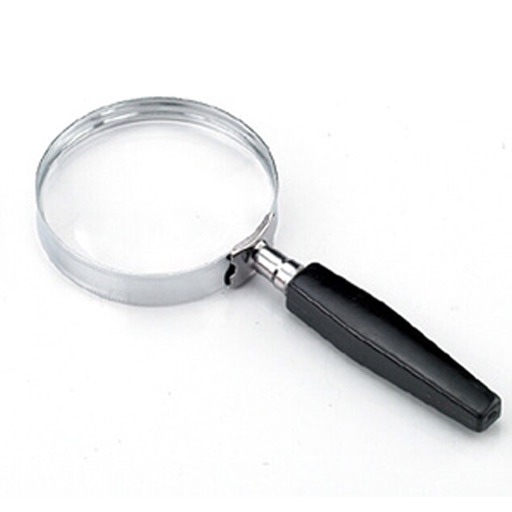
The app functions as a magnifying glass using the device's camera to display a magnified image. Users can adjust the zoom factor up to x4 and utilize the camera flash as a flashlight for improved visibility.
Create and by inputting text or images and selecting label type. Automatically adjusts content to fit label size. Sync with Mac via cloud. Supports most Avery label sheets. Organize mailing lists for recurring mailings.
Annotate images with tools like arrow, rectangle, circle, text, and magnifier. Import photos from library, camera, or map. Export with custom sizes and share. Customize colors, undo changes, and manage layers. Crop images and save history sessions.
Print multiple photos on a single page by selecting images and defining individual print sizes in millimeters, centimeters, or inches. Choose a printer and start the process.
Convert paper to PDF and image files. Scan notes, sketches, and photos with high clarity. Save and share scanned files directly. Organize and view in a digital format.
Add watermarks to images, videos, and PDF files using custom text or uploaded logos. Customize positions, opacity, and fonts. Batch-process multiple files without altering originals. Save and share watermarked copies securely.
Edit with filters, stickers, and emojis. Create photomontages with built-in effects. Apply artistic tools for detailed edits. Add with customizable fonts and colors. Export and share edited images directly.
And edit documents with OCR technology. Capture multi-page documents, receipts, and business cards. Correct perspective and enhance image quality. Share or save scans directly.