The app allows students to conduct orientation activities using tablets outside the classroom. Students download activities, navigate to checkpoints, scan QR codes, and answer questions.
by POPULAR E-LEARNING (H.K.) LIMITED★ 0.00 ratingsEducationFreeData updated 2026-11-03
The app allows students to hear test questions read aloud with human or mechanical speech. Students can download exams, use earbuds, and complete tests at their desks, improving focus and test performance.
The app provides a digital version of student workbooks for the Stepping Stones mathematics program. Students can complete school work on iPad, save it, and submit it electronically to their teacher.
Track student with graphical sheets and code letters. Scan students for multiple sessions. View absence notes and generate statistics. Export and manage data with pre-generated sheets.
Teachers can register students, input marks, and record behavior. Parents and students access messaging, attendance, timetables, homework, exam results, and student reports. All users view behavior records, medical information, and contact details.
The app introduces children aged 12 to 36 months to a digital world with a bear cub companion. Children can learn gestures, words, and movement coordination through hide and seek and other activities.
Schedule and conduct live classes with students. Manage batches and organize coaching sessions. Share study materials and notes. Track attendance and manage student progress. Communicate with students through in- messaging.
Students can view their profile, leaves, fines, fees, timetable, transcript, news, events, and courses. They can manage tasks, submit assignments, and access academic resources. The allows communication with faculty and track academic progress.
Support communication learning language development.
The app provides example activities to support communication, learning, and language development. It does not require an internet connection for using activities.
Develop reading comprehension and critical thinking skills.
The app presents 37 stories to help users practice reading comprehension and detail recall. It guides students in identifying main ideas, answering factual questions, and making inferences, with explanations for each answer.
Scan QR codes from Syriac publications to access audio playback, images, and text. Navigate between pages, paragraphs, or lines. Sync with printed materials for enhanced reading experience.
The app provides information for new and current students at the University of Edinburgh. It offers details to prepare for studies and the latest updates on campus events, including Welcome Week.
Play whack-a-mole to collect gold coins and avoid landmines. Tap to hit targets and test reflexes. Participate in -themed amusement activities. Earn coins through interactive and challenges.
Parents, students, and faculty can access blogs, news, and announcements. View pictures, videos, and documents. Manage calendar events and use a constituent directory. Access student, faculty, and parent portals for up-to-date information.
Parents can view real-time eSchool profiles, check student absences, homework, certificates, news, and calendar events. Students can communicate with the school and access daily updates. Employees can review salary slips and attendance logs.
Students can view schedules, check grades, and access classroom resources. Families can read PTA updates, find staff members, and receive student reports. Staff can access essential data, implement PBIS strategies, and use CTLE resources.
Students can view schedules, check grades, and access classroom resources. Families can read PTA updates, find staff members, and receive student reports. Staff can access essential data, implement PBIS strategies, and use CTLE resources.
Students can view schedules, check grades, and access classroom resources. Families can review PTA updates, find staff members, and receive student reports. Staff can access essential data, implement PBIS strategies, and utilize CTLE resources.
Track grades, access resources, connect with staff
Students can view schedules, check grades, and access classroom resources. Families can read PTA updates, find staff members, and receive student reports. Staff can access essential data, implement PBIS strategies, and use CTLE resources.
Allows teachers to manage classroom activities and student data. Parents can view their child's academic performance and attendance. Teachers and parents can communicate directly through the . Students' progress is tracked and shared with parents.
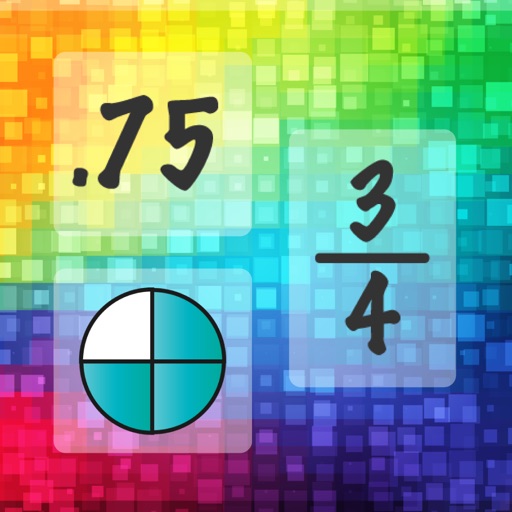
Practice fraction and decimal concepts through interactive activities. Name by selecting matching pictures or choosing correct options. Identify equivalent and using multiple choice and matching exercises. Compare and by ordering them visually.