The app provides a drawing experience for young artists with simple controls and bright colors. It includes options for more brushes and sizes, along with step-by-step drawing lessons.
by Artem Avakyants★ 0.00 ratingsEntertainmentFreeData updated 2026-11-02
Art designs with tap-and-draw controls. Use magical brushes to paint glowing effects. Create symmetrical patterns and mandalas with balanced templates. Adjust colors and motion effects for custom designs. Share creations directly.
Create and annotate visual ideas with drawing and writing tools. Use color and line thickness for emphasis. Collaborate in real-time during presentations. Organize thoughts and plan projects on a clean, distraction-free workspace.
Create that pop with sound, float across the screen, and fall due to gravity. Draw letters, numbers, and shapes with touch input. Interact by touching to move and explore simple drawing features.
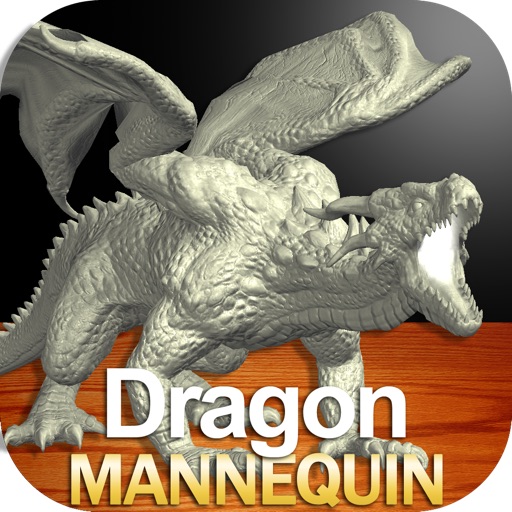
Draw a with poseable limbs and adjustable joints for custom poses. Use reference tools and skins to enhance detail and realism. Adjust camera angles and select backgrounds and platforms for accurate drawing.
Early education offers structured activities for children ages 3 to 5. Teach letters, sounds, numbers, colors, shapes, and basic math. Include handwriting practice, reading readiness, puzzles, memory games, drawing, and coloring.
Create digital artworks using AI by entering creative prompts and selecting art styles. Generate images with one click. Edit and refine generated art within the . Share finished pieces directly.
Creative drawing studio allows children to draw and color with various tools and colors. Puzzle games let kids match shapes and patterns. Pixel art lets them create images by filling grids.
The app presents users with a challenge to escape from large fish. It includes features such as Facebook and GameCenter rankings, along with multiple playable characters.
Edit photos by drawing on them with adjustable brush sizes and color choices. Use an erase tool and undo/redo functions for precision. Save edited images for later changes or share them directly on social networks.
Create and review flashcards with swipe gestures to flip . Draw notes freely with finger or Apple Pencil. Hold to flip card over. Shake for random card. Swipe down to cancel or up to delete.
The app allows users to draw on a blank canvas or import photos. Users can add stickers, text, and shapes, choosing from various brush colors and sizes to create unique artwork.