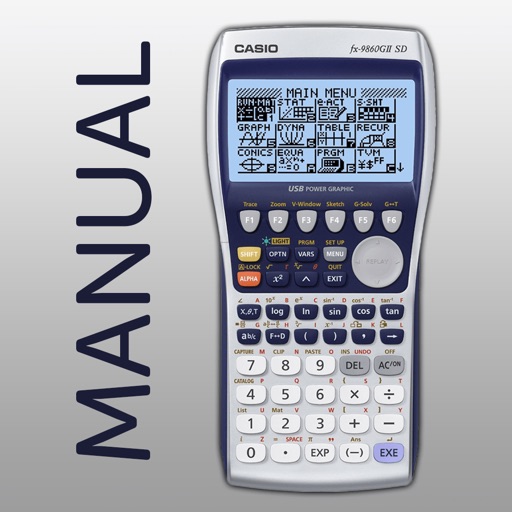
The app shows button presses for the CASIO fx-9860GII graphing calculator. Users swipe through screenshots of the original calculator to follow step-by-step instructions for 42 topics.
by Di Venisco UG (haftungsbeschrankt)★ 2.86 ratingsEducation$4.99Data updated 2026-11-01
Solve problems by taking photos of equations. View detailed step-by-step solutions. Use a built-in calculator for quick calculations. Access and review past problems and solutions. Share solutions via email or messaging.
Access past exam questions for UTME CBT, POST-UTME, and WAEC. Practice offline with over 50,000 questions categorized by topic and difficulty. Review study notes to prepare for exams. Take prep-tests for NECO.
Solve math equations within 100 seconds. Answer problems using a numeric keypad. Track high scores and compete with others. Attempt to beat personal and friend scores. No calculator required.
Scan and solve problems using real-time camera scanning. View step-by-step explanations and save scans to history. Use smart calculator to enter equations. Access unlimited scans and offline functionality with a subscription.
Solve right-angled triangles by inputting known sides or angles. View step-by-step calculations and a scale drawing of the triangle. Access basic trigonometric formulae. Enter angles in radians, decimal degrees, or degrees, minutes, seconds.
Create and analyze mathematical graphs with precise notation display. Edit graphs with color and line style customization. Find coordinates, intersections, and key points like zeros and extrema. Perform domain analysis and use an intuitive keyboard.
Calculates expressions as you type and stores answers for reuse. It includes four tabs with distinct colors. Users can multiply numbers, calculate tips, and find square roots without resetting. Graph 2D and 3D functions with a single touch.
Learn to build complex redstone machines with step-by-step guides and over 1300 screenshots. Access more than 300 detailed instructions to create advanced mechanisms. View tutorials for redstone circuits, logic gates, and automated systems.
Solve problems with step-by-step explanations. Capture equations via camera or type them manually. Access solutions for algebra, calculus, and graphing. View detailed breakdowns and learn concepts through structured guidance.
Solve mathematical equations and visualize results in 2D and 3D. Plot cartesian, polar, spherical, and parametric functions. Animate equations and vector fields. Find intersections of functions. Support for complex functions.
The app calculates value and greeks for European and American options. It builds real-time graphs and secondary graphs, such as value versus volatility or theta versus time.
Through six interactive chapters covering clue types and solving techniques. Each chapter includes explanations, diagrams, exercises, and practice clues to reinforce understanding.
Allows users to perform basic arithmetic and advanced scientific calculations. It supports trigonometric functions, logarithms, and exponents. Users can switch between simple and complex modes. The features a clean interface and customizable themes.
Explore concepts through interactive topics covering limits, derivatives, and integrals. Graph functions, compute derivatives numerically, and visualize solutions. Test hypotheses and verify computations with graphical representations.
Snap or upload problems for instant, step-by-step solutions. View detailed explanations and formulas. Save and revisit solved problems. Share solutions via email or messaging.
Allows users to perform advanced scientific calculations with high precision and range. It supports standard and RPN input modes, built-in constants, and unit conversions. iCloud sync enables cross-device access to calculation history.
The app offers a scientific calculator with complex number support and programmable keys. It includes graphing capabilities for up to nine equations, vector and matrix calculations, and a unit converter for various measurements.
Ask math or science questions via voice to get instant answers with visuals. Use the "Teach Me" button for step-by-step lessons. Scan equations with the camera for instant explanations. Track progress and revisit lessons for review.