Display photos from device storage, iCloud, Facebook, Flickr, Instagram, Google Photos, and Dropbox. Show all photos or specific albums. Customize frame layout and transition effects. Share photos via social media or email.
by Susan Gardiner Bourlier★ 4.1470 ratingsPhoto & VideoFreeData updated 2026-09-09
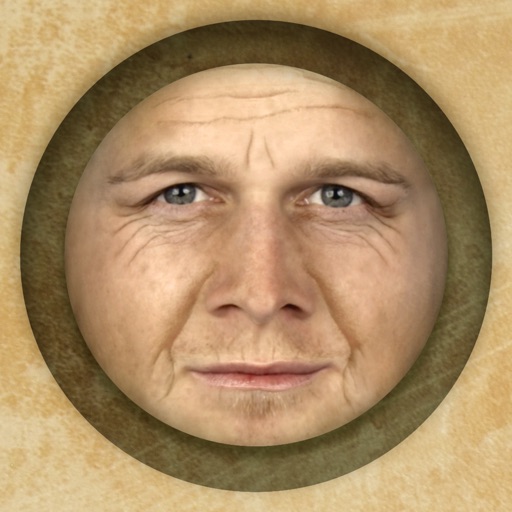
Predict how faces will look as they age. Upload photos to generate aged versions. Adjust aging intensity and style. Share results via email, messaging apps, and social media. Includes features like shaking to trigger aging effects.
Turn photos into drawings, cartoons, or sketches with one click. Apply 19 effects with full control. Save creations and share via Facebook, Twitter, Flickr, Tumblr, and Email.
Photos to save storage space. Adjust JPG compression strength and image size reduction. single images, multiple files, or entire albums. Preview compressed results before saving.
Create and share short videos as animated GIFs or MP4. Capture frames with the or import photos, videos, or Live Photos. Apply real-time color filters, add text or frames, and choose stop motion or video mode.
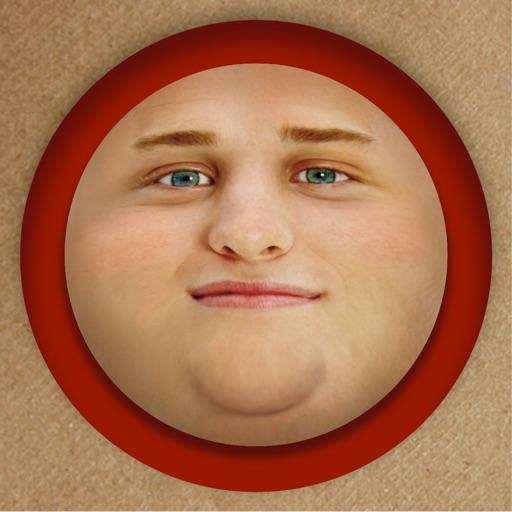
Edit photos by adding exaggerated weight gain effects to faces. Share modified images via email, iMessage, Instagram, Snapchat, Facebook, Twitter, and WhatsApp. Toggle between original and altered views using device shake.
Edit photos with diamond frame effects and star-like enhancements. Add creative effects to enhance images. Save and share edited photos directly. Apply various frame styles to personalize pictures.
Photo and video manager that automatically gathers media from phone, computer, USB drives, and cloud/social media accounts. Users can organize, share, and view photos and videos privately.
View and browse high-resolution art . Pull down to load more images. Save to photo gallery. Share via Facebook, Twitter, and Google+. Requires internet connection for image loading.
Apply distress effects, vintage filters, and creative textures to photos. Adjust intensity and blend modes. Save and share edited images. Access exclusive effects and future updates without additional costs.
View posts in thumbnail format. Separate photos and text content. Create slideshows. Reblog or like posts easily. Auto-refresh feeds. Manage likes and follow accounts. Use multiple accounts. Set passcode for privacy.
Capture photos, create time-lapse videos, make animated
Take to create a photo journal. Make time-lapse videos and animated GIFs from photos. Backup and sync images via Dropbox. Tag photos with locations using Swarm.
Apply -themed to images from the gallery or camera. Adjust frame size and position by rotating, scaling, zooming, or dragging. Choose from fifteen in various shapes and colors. Save edited photos to the device.
Create videos by combining photos and videos. Trim and merge media files. Add background music and transitions. Apply filters to enhance videos. Import from photo library. Share on Facebook, Instagram, YouTube, and email.
Create and customize 4x6-inch with photos from iPhone, Facebook, or Dropbox. Add personal messages with emojis and choose seasonal designs. Print at 300dpi and deliver domestically for $2 or internationally for $3. Pay via Apple Pay or credit card.
Create timelines with photos, notes, and maps. Add private photos and generate printed photo books instantly. Sync across devices and collaborate on timelines. Edit and organize content offline.
Edit photos and videos with border customization for Instagram. Import media from albums, Facebook, or Instagram. Add filters, text, and shapes. Share directly to Instagram for full-size posts.
The app allows users to share photos and videos on a TV using Chromecast. Users can create custom slideshows with music and select from multiple photo framing modes.
Create artistic images using 50+ custom templates. Crop and frame photos into symbols, words, or shapes. Share finished images to Instagram, Facebook, Flickr, Tumblr, and Twitter.