Display photos from device storage, iCloud, Facebook, Flickr, Instagram, Google Photos, and Dropbox. Show all photos or specific albums. Customize frame layout and transition effects. Share photos via social media or email.
by Susan Gardiner Bourlier★ 4.1470 ratingsPhoto & VideoFreeData updated 2026-09-09
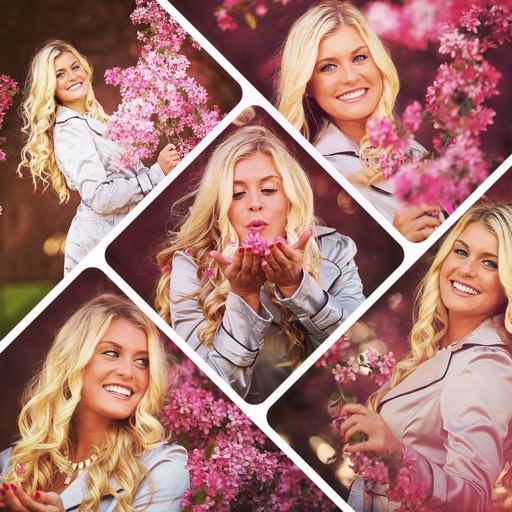
The app allows users to combine multiple photos into collage frames. Users can select from unique frames, adjust colors or patterns, and share creations via email, social media, and more.
The app allows users to explore over 6 billion photos and videos on Flickr. The free edition offers limited access to photo streams and search functionality.
Edit photos with color and film filters, vintage textures, and light leak effects. Adjust brightness, contrast, and saturation. Add vignettes and analog film sensations. Export edited images in various formats.
Create animated cartoon videos using frame-by-frame drawing. Doodle on different papers or over photos to build animations. Export as GIF or and share directly.
Adds location tags to photos taken with supported devices. Users can geotag images from iPhone, iPad, Mac, Dropbox, and Flickr. The automatically records location data during photo capture. Tags help organize and identify where photos were taken.
Save specific video scenes to photo albums with or without live photo. View images in fullscreen. Save multiple photos. Export as GIF. Sync with iCloud Photo Library.
Resize photos to fit Instagram's format. Adjust dimensions and crop images precisely. Share edited photos directly to social media. Maintain image quality during resizing. Apply basic editing tools for optimal framing.
The app allows users to select foreground images from various sources and erase backgrounds. Users can then add background images, text with over 100 font styles, and over 1000 stickers to create edited photos.
The app transforms photos into hand-carved or rubber stamps with options for rough effects and transparent backgrounds. It includes AI background removal and a feature to convert images to vector graphics.
Combine multiple photos into customizable frames or collages with 55 adjustable templates. Add rounded corners, effects, shadows, and patterns. Choose colors using an easy color picker. Save projects and share via Facebook, Email, or Twitter.
Create collages by combining multiple photos using various frame patterns and grid layouts. Apply over 1100 design styles to individual images or collages. Share finished creations directly from the .
The app allows users to animate photos and messages, creating shareable video loops. New loops are added daily, and users can access additional content through an in-app subscription.