Test buttons and analog controls in real time. Display pressed keys, axis movement, stick input, and pressure. View raw input data and response. Troubleshoot connected controllers for functionality checks.
Test and troubleshoot functionality. Connect to iOS devices. Supports Xbox One Wireless, Xbox Series Wireless, PlayStation 4 DualShock 4, PlayStation 5 DualSense, and various MFI controllers. Check input responses and calibration.
Test buttons, joysticks, and triggers for responsiveness. Visualize input responses and check analog stick sensitivity. Monitor battery levels and detect stick drift. Verify repairs and assess vibration motor function.
Test controller response and speed using BLE connectivity. Simulate controller performance with built-in tests. a game to assess controller accuracy. Connect Xbox, PS, or MFi controllers.
Connect controllers via Bluetooth and test functionality
Connect a game controller to an iOS device via Bluetooth. Test controller functionality and troubleshoot issues. Use an on-screen controller to games. Supports PlayStation 5, PlayStation 4, Xbox, and MFI controllers.
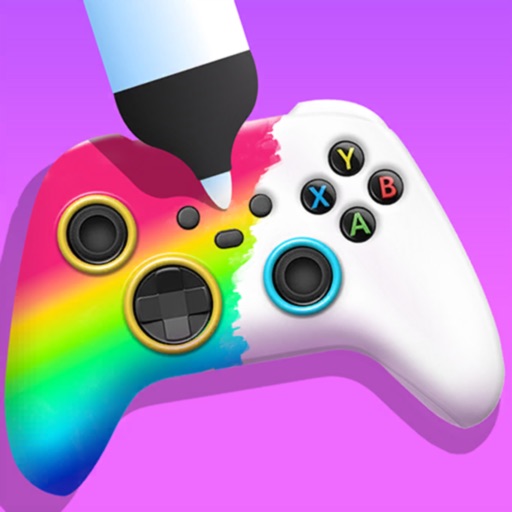
Create custom game controllers by designing art with stencil tools, spray paint, and stickers. Apply color and patterns to joysticks and gamepads. Add decorative elements like marble dipping. Save and share custom designs.
Allows users to emulate various systems including NES, SNES, N64, Boy, Boy Color, Boy Advance, and Nintendo DS. It supports online multiplayer for Nintendo DS games. Users can load ROM files and play games directly on iOS or iPadOS devices.
Train skills in shooter games using compatible controllers. Connect Apple MFI, PlayStation, Xbox, or Nintendo Switch controllers. Adjust sensitivity and calibration settings. Sync with game profiles for accurate practice.
Play retro GBA and NDS games on iPhone and iPad. Import ROMs from Files or iCloud. Switch between portrait and landscape modes. Use NDS dual-screen layouts. Save game states and fast-forward through gameplay.
Customize buttons and analog thumbstick settings. Create and manage on-board profiles. Adjust advanced features like d-pad SOCD cleaning. Remap controls for different games or tasks.
The app displays the number of buttons, axes, and dpads for connected joysticks and gamepads. It provides visual feedback for button presses and analog stick movements on Mac.
Play games from PlayStation 1 consoles using an . Load ROMs, save states, and access cover artwork. Customize controller skins, use external controllers, and mirror screens for multiplayer. Adjust graphics settings and support analog controls.
Stream games from a gaming PC on a local network using . Control with touchscreen or iOS-compatible gamepad. Requires NVIDIA GPU with GeForce Experience or LizardByte Sunshine for hosting.
Find compatible iOS games for MFi controllers. View news, read guides, and test functionality. Check support for DualShock 4, DualSense, Xbox Wireless, and other controllers.